
The Problem Isn't Finding Exercises
Open your phone right now and count the vocal exercises you've collected. Screenshots of YouTube titles. Voice memos named "lesson tuesday" and "that lip trill thing". A note that just says "1-3-5-8, then down, on 'ng'". I did this a while ago and stopped counting at 40.
How many of them could you sing correctly tomorrow morning? For me the honest answer was maybe five.
Here's the thing most students get wrong: the bottleneck isn't discovery. There are more warmups on YouTube than you could sing in a lifetime, and any decent teacher will hand you three new ones per lesson. The bottleneck is that every exercise stays trapped where you found it. The video plays in one key, at one tempo, for one voice type that probably isn't yours. Your teacher played it once on the piano, you nodded, and by Thursday the middle notes have blurred into a vague shape.
Sounds familiar? Then let's talk about why the usual fixes don't fix it, and what actually works.
Why the Old Fixes Break
I've tried all three of the classic workarounds. Each one solves the problem for exactly one situation and then falls apart.
Fix number one: record it on your phone. This is what everyone does at the lesson. It works, right up until you need the exercise in a different key. A recording is frozen. Your teacher played it starting on a C because that's where they sat down, but your voice needs it starting on F. Now you're pitch-shifting audio in some editing app, which sounds like a chipmunk, or you're trying to sing along a fourth higher while the piano insists on C. Neither works.
Same problem with tempo. The YouTube coach runs the pattern at a comfortable 100 bpm. You're learning it and you need 60. Slowing a video down makes the piano sound like it's underwater, and the pitch tracking in your ear gets worse, not better.
Fix number two: write the notes down. Great, if you can name the notes by ear fast enough during a lesson (most students can't, and I couldn't for years). Even if you manage it, a piece of paper doesn't play anything. You still need an instrument to hear your reference pitches.
Fix number three: ask someone with a piano. Your roommate, your friend from choir, a keyboard app on your phone. This is fine for one exercise, once. It is not a practice system. Nobody wants to be your accompanist every morning, and tapping keys on a phone screen while trying to sing is a good way to do both things badly.
A recording captures the exercise. It does not capture the ability to change it. And changing it is the whole point of practicing.
What you actually need is the pattern itself, separated from the key, the tempo and the instrument it happened to arrive in. Once you have the pattern as data (which intervals, in which order), everything else becomes a setting you can change.
Let the Phone Listen: Scalita's Scale Detector
This is where I landed on Scalita, an Android app built around scales for singers. It ships with 21 built-in exercises, but the feature that solved my "40 half-remembered warmups" problem is the Scale Detector.
The idea is simple. Hit record, then play the source near your phone: the YouTube video on your laptop, your teacher's piano, a guitar, or just sing the pattern yourself. The app listens for up to 15 seconds and tracks the pitches you hold.
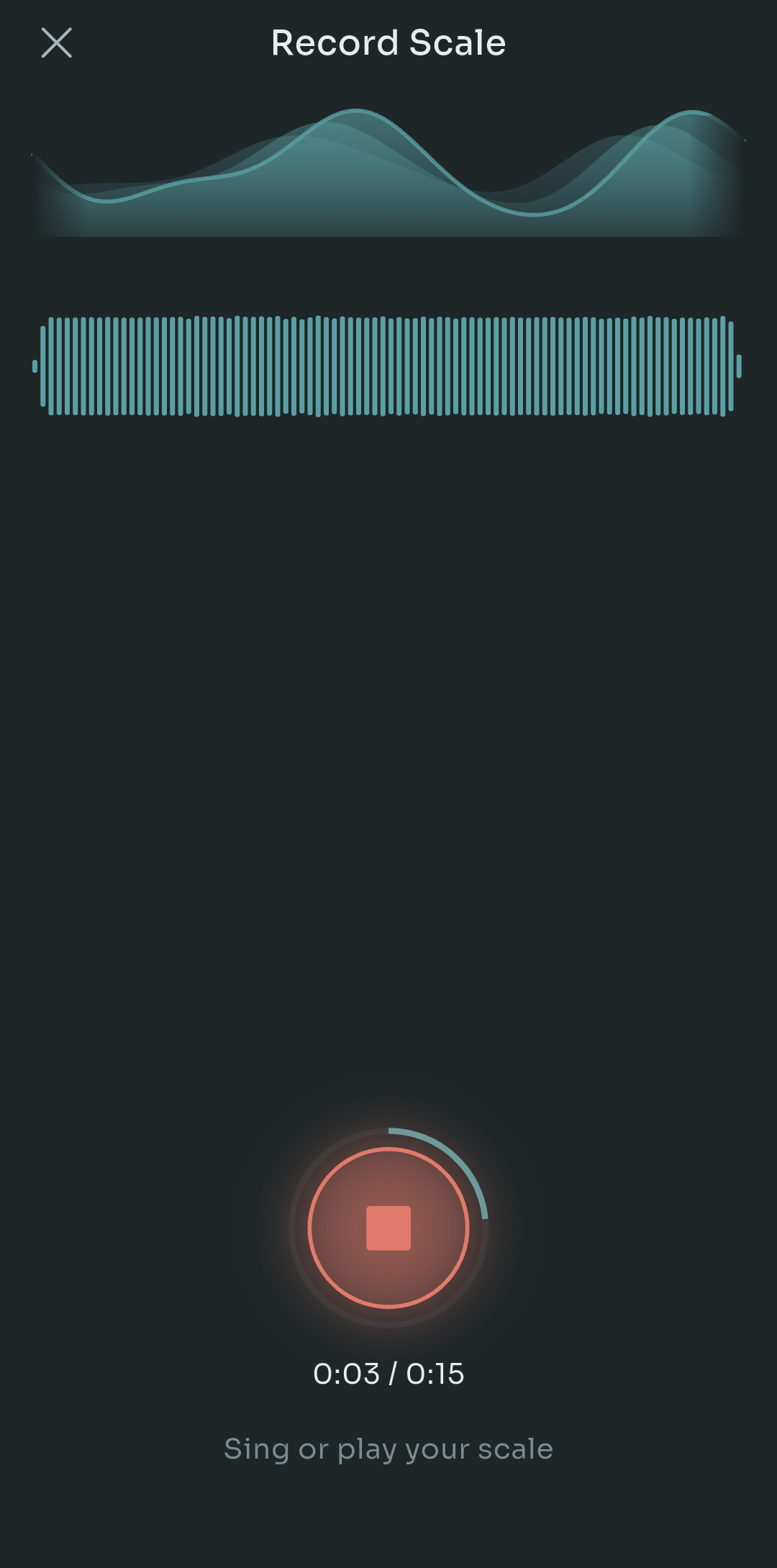
Scalita's Record Scale screen mid-recording, showing a live waveform and a 15 second timer with the prompt to sing or play your scale
That screen above is what you see during capture. The waveform at the top moves with the input, the timer runs to 0:15, and the only instruction is "sing or play your scale". No setup, no choosing a key first. You just make the sound happen near the phone.
When you stop, it shows you what it heard. And this is the part that matters, because no pitch detector is perfect, and an app that pretends otherwise is useless for real practice.
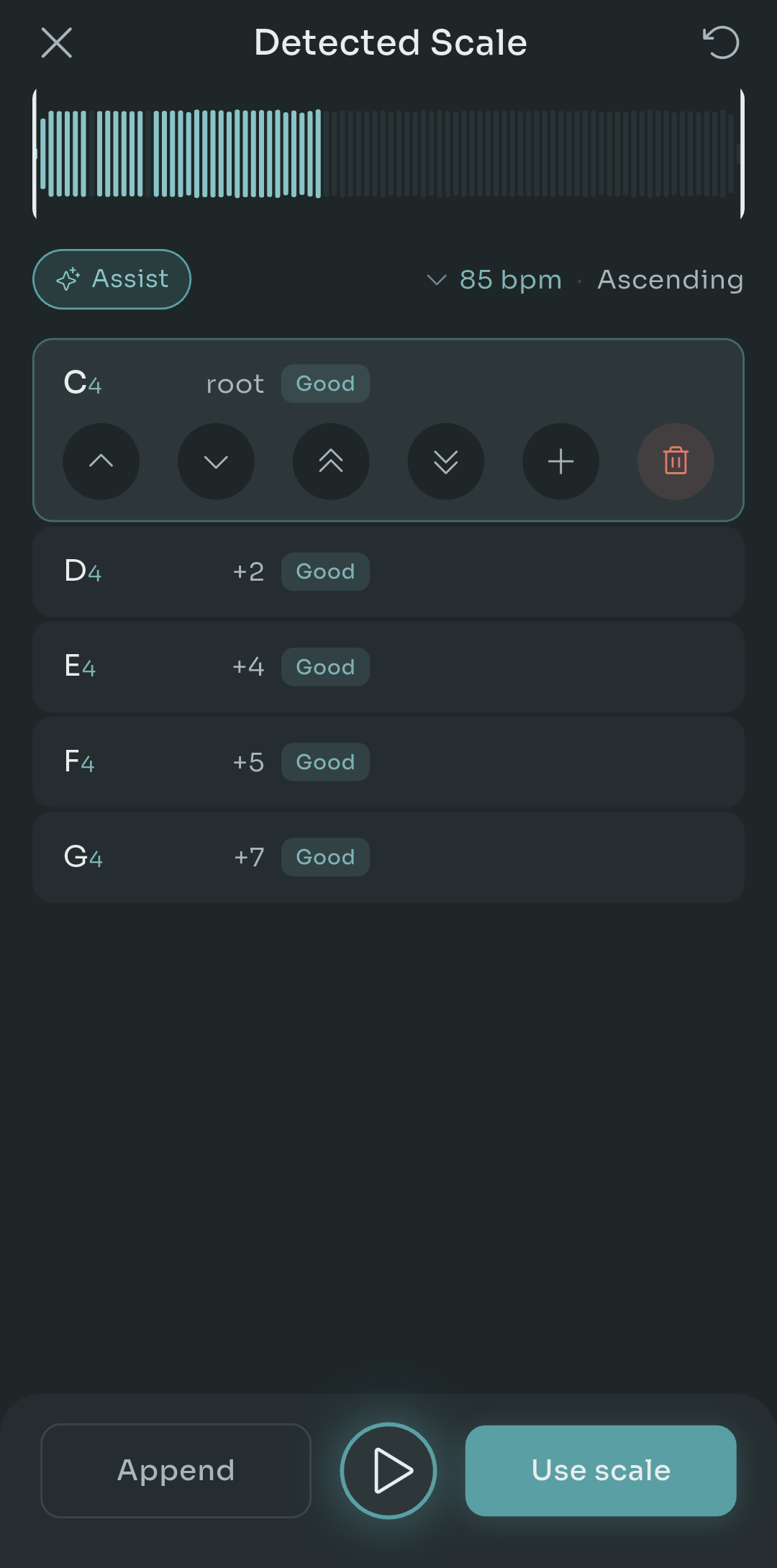
Scalita's Detected Scale screen listing C4 as root followed by D4, E4, F4 and G4, each marked with its interval from the root and a Good confidence label, with controls to move, add or delete notes
Look at what the Detected Scale screen gives you. Each note is listed with its interval from the root (C4 is the root, D4 is +2 semitones, E4 is +4, F4 is +5, G4 is +7), plus a confidence label so you know which ones it's sure about. It also guesses the tempo (85 bpm here) and the direction (ascending).
If it got something wrong, you fix it right there. Tap a note and you get arrows to nudge it up or down a semitone, double arrows to jump an octave, a plus to insert a note, and a bin to delete one. There's an Assist button when you want a hand cleaning things up, a play button to hear the result before committing, and an Append option if the exercise is longer than 15 seconds and you want to record the second half onto the first.
Quick tip: when capturing from a video, turn the laptop volume up and hold the phone close to the speaker rather than across the room. The confidence labels get noticeably better and you'll spend less time editing afterwards. If the video has backing music under the piano, sing the pattern yourself instead. Your voice alone is a much cleaner signal than a mixed track.
Hit Use scale, give it a name, and it's saved. From that moment it behaves exactly like one of the 21 built-in scales.
Building a Scale by Hand
I get that not every exercise arrives as audio. Sometimes your teacher just says "do the 1-3-5-3-1 but on a minor third" and you know exactly what she means, you just need it to exist somewhere playable. For that there's the manual path.
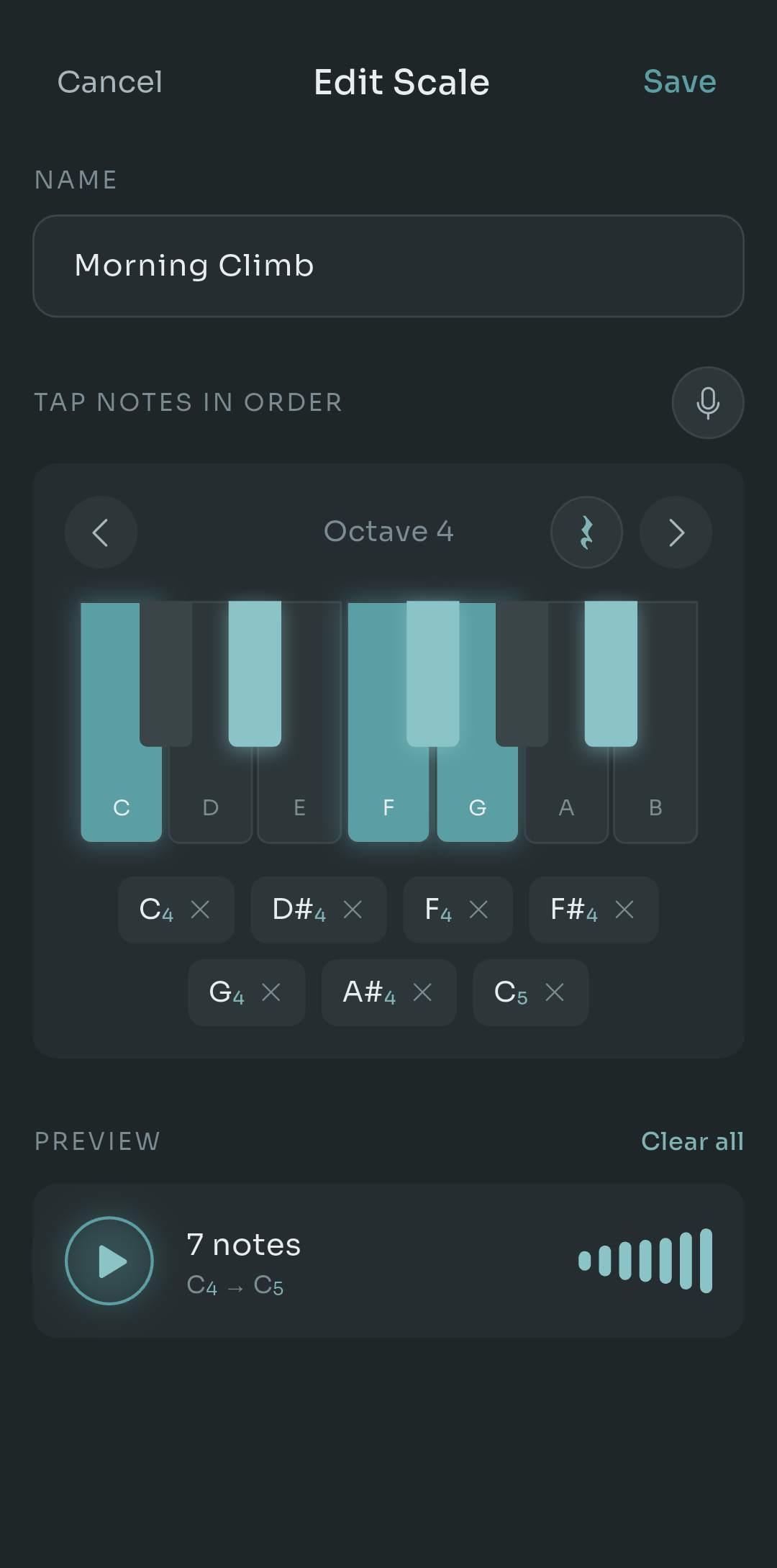
Scalita's Edit Scale screen for a scale named Morning Climb, with an on-screen piano keyboard in octave 4, seven tapped notes listed below it, and a preview showing 7 notes from C4 to C5
The Edit Scale screen is a keyboard, one octave at a time, and you tap the notes in the order you want them sung. In the example above I built "Morning Climb": C4, D#4, F4, F#4, G4, A#4, C5. Seven notes. Each tapped note appears as a chip below the keyboard with an X so you can remove it, and the preview at the bottom plays the whole thing back so you can check it by ear before saving.
Notice the little rest symbol next to the octave switcher. That lets you insert a silence into the pattern, which matters for exercises where you're supposed to breathe or reset between phrases. And the microphone icon in the corner? That jumps straight to the detector if you decide halfway through that singing it would be faster than tapping it.
Beyond the notes themselves, a scale carries the settings you'd expect: the syllable you'll sing it on, the tempo, and the starting note. Build it once, tweak those three things forever.
What a Saved Scale Actually Gives You
Here's why this beats a voice memo. Once the pattern is stored as intervals, the app knows the shape of the exercise rather than a specific recording of it.
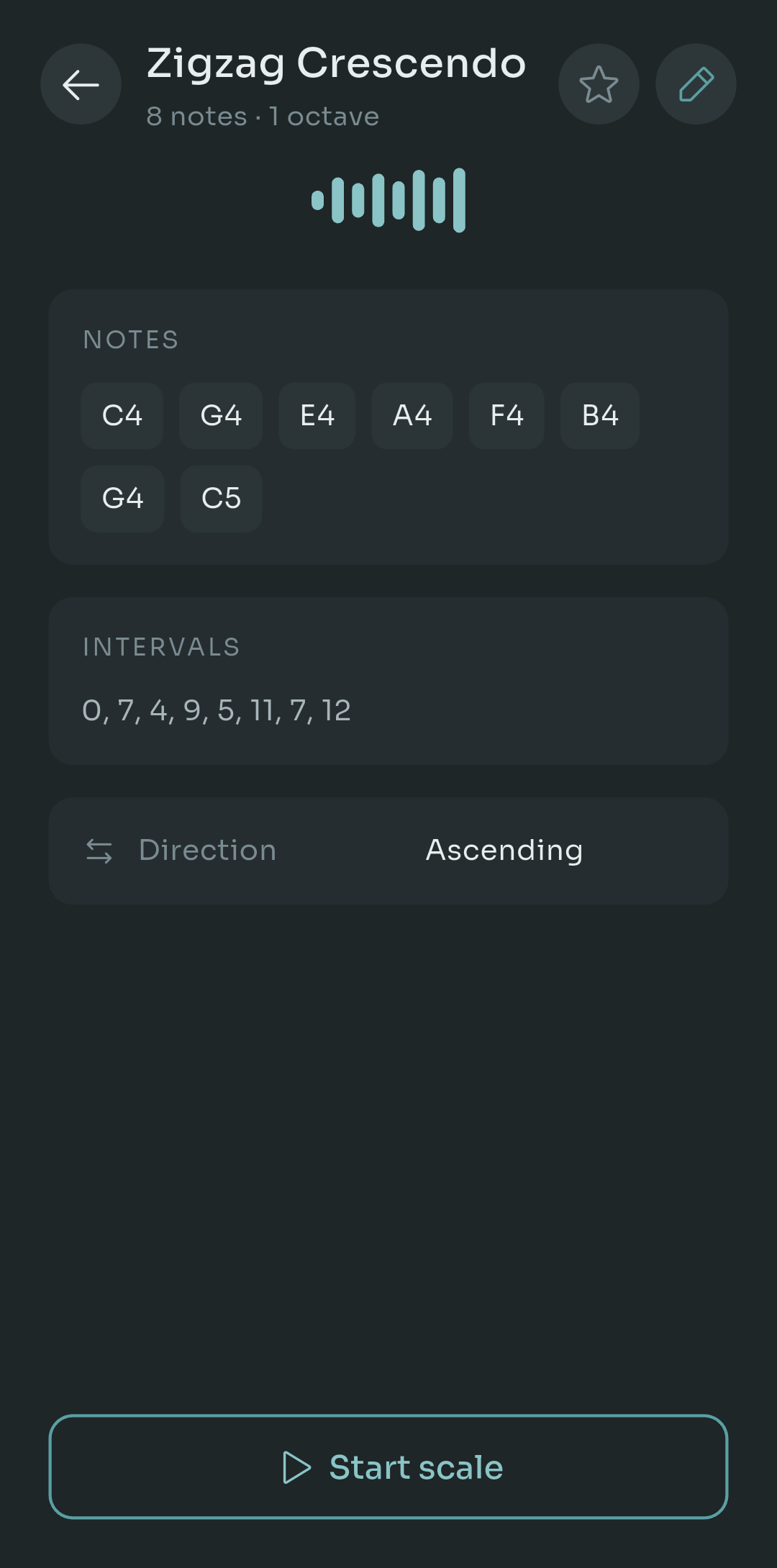
A saved scale in Scalita called Zigzag Crescendo, showing its eight notes from C4 to C5, its interval list 0, 7, 4, 9, 5, 11, 7, 12, an ascending direction setting and a Start scale button
This is a saved scale called "Zigzag Crescendo". Eight notes across one octave, and the interval line underneath is the important bit: 0, 7, 4, 9, 5, 11, 7, 12. Those numbers are semitones from the root. They don't care whether the root is C4 or A3 or F#4.
So when you press Start scale, three things happen that a recording could never do:
- It transposes to your range. Pick your lowest comfortable note and let it climb key by key, exactly like a teacher moving up the piano.
- It plays at any tempo on a real sampled piano. 50 bpm while you're learning it, 110 when it's easy, and the piano sounds like a piano the whole time.
- It drops into a routine. Stack it with your lip trills and your sirens and run the whole warmup with one tap.
You can also flip the direction to descending, mark favourites with the star, and edit anything later with the pencil. And if you learned your theory with do re mi rather than C D E, the whole app can display in solfege or letter names, in any of five languages.
Now, the pricing, because I know that's the next question. Scalita is free, and the free tier includes 3 custom scales. That's enough to test whether the workflow fits you. Pro lifts that limit and it's a one-time $4.99, not a subscription. It's Android only for now, so iPhone users will have to sit tight.
A Weekly Workflow That Actually Sticks
Tools only help if you have a habit around them. This is the loop I've settled on after a few months, and it's the reason my collection went from 40 blurry memos to a dozen exercises I can actually sing.
- Capture at the lesson. When your teacher plays something new, ask if you can record 15 seconds of it. Open the detector, hold the phone toward the piano, done. Don't edit anything yet, you're paying for lesson time.
- Tidy it that night. Sit down with the detected notes while the exercise is still fresh in your ear. Fix any low-confidence notes, set the syllable your teacher used, drop the tempo 20 bpm below what she played, and name it something you'll recognise in a month ("Ana's octave slide" beats "scale 7").
- Put it in your custom routine. Slot it after your warmup and before anything demanding. Set the starting note to the bottom of your range and let it climb.
- Retire it when it stops being hard. After 3 or 4 weeks, if you can hit every note at full tempo across your whole range, pull it out of the routine. It's done its job. Keep it saved for later, but make room for the next one.
That last step is the one people skip. A routine with 15 exercises you've mastered is a 40-minute warmup that teaches you nothing. A routine with 5 exercises that are still slightly beyond you is a 15-minute session that moves your voice forward. Retiring exercises is how the routine stays hard.
For YouTube, the loop is the same, just replace "at the lesson" with "while watching". Pause the video where the coach demonstrates the pattern, record 15 seconds, and move on. You'll end up with the exercise, not the video.
Wrapping Up
The exercises on your phone aren't the problem. The fact that they're stuck in someone else's key, at someone else's tempo, on someone else's instrument, that's the problem. Voice memos and scribbled notes freeze the exercise exactly when you need it to bend.
Capture the pattern instead of the performance. Whether you let the phone listen or tap the notes in by hand, once an exercise exists as intervals you can transpose it, slow it down, and stack it into a routine. And once it stops being hard, let it go and grab the next one.
If you try this, I'd genuinely like to know which exercise you rescued first. Drop it in the comments, and if you've got a smarter way of naming things than "Ana's octave slide", I'm all ears.

Pablo Dominguez
Full Stack Developer passionate about building interesting projects and learning new skills.