
Here's the short answer: lyrics fit the chords when three things line up. The stressed syllables of each line land where the chords change. Each line is short enough to leave the singer a breath before the next one. And the rhyme falls on the chord that resolves, or, if you want tension, deliberately on one that doesn't. If your lines read well on paper and sing badly over the progression, one of those three is off, and it's almost always because you wrote the words somewhere the chords couldn't argue back.
That's a big part of why I built Melodoodle, a songwriting sketchpad you get from Google Play on Android and install from the browser on iPhone (free, no account, works offline once installed). Its lyrics editor lives inside each section of the song, with every line written over the chords it's sung on, so you hear the mismatch while you're still typing instead of three days later at the mic. But the mechanics come first, because they're worth knowing even if you never open the app.
For years I had a folder full of lyrics I was proud of and couldn't sing. The lines were fine. The chords were fine. Put them together and every verse felt like I was running to catch a bus. Sounds familiar?
Chord changes decide where your stresses want to land
Start with the thing nobody tells lyric-first writers: a chord change is a strong beat. When the guitar moves from C to G, your ear hears an arrival, and it wants something to arrive with it. If the syllable that lands on that downbeat is the or and or the second half of waiting, the line feels like it tripped. If the syllable is door or gone or you, the line feels like it was written for that chord. Same words. Different placement.
Second mechanic: a line that is one beat too long will always feel crammed. Not sometimes. Always. In 4/4, a chord that lasts one bar gives you four beats. Two chords give you eight. If your line carries eleven syllables into eight beats, the singer has to squeeze three of them into the gaps, and the listener hears the squeeze even if they can't name it. Syllable count on paper is not the measurement that matters. Beats against chords is.
Third: where the rhyme lands decides whether the thought feels finished. In a loop like C, G, Am, F, the C is home. The G and the F both lean toward it. A rhyme that lands on C sounds like a full stop. The same rhyme landing on G or F sounds like a question mark, because the harmony hasn't come home yet. Neither is wrong (a verse that ends on a question pulls the listener into the chorus beautifully), but you should be choosing it, not discovering it after you've recorded.
A worked example: four chords, two lines
Take the loop C | G | Am | F, one bar each in 4/4, so four beats per chord and eight beats per line. Here's a couplet the way I'd have written it in a notes app, with the syllable that falls on each chord change in capitals:
DRAFT (12 and 14 syllables into 8 beats each)

C  | And I told you I would wait right
G  | BY the door ...
Am | But the hallway has gone quiet and
F  | I don't know what for

REWRITE (9 and 9 syllables)

C  | TOLD you I'd wait right by the
G  | DOOR
Am | HALL's gone quiet now, don't know what
F  | FOR
Look at what happened in the draft. The singer starts And I on beat one of the C, so told gets pushed to beat two, and by the time the chord flips to G the syllable sitting on that downbeat is by. The important word, door, arrives a beat late on a weak spot. Line two is worse: fourteen syllables, and the F change lands on and, which is about the least singable word in English.
The rewrite cuts three syllables from line one (And I and would) and four from line two, and nothing about the meaning moved. Door now lands exactly on the G downbeat with three empty beats behind it to breathe. For lands exactly on the F. The rhyme words are sitting on the chord changes, which is where your ear wanted them all along.
One more move, because this is where the third mechanic pays off. For is landing on F, a chord that hangs, so the couplet ends as an open question that pulls into whatever comes next. If you want the same couplet to feel closed, change the loop so the last chord is home: Am | F | G | C. Now for lands on C and the thought shuts the door behind it. Same words, different punctuation, and you only found out by singing it over the chords.
Why writing in a notes app produces exactly this problem
I get that the notes app is comfortable. It's always there, it's fast, and the lines look clean on the screen. But here's what it's doing to you: it makes you write at speech rhythm, not song rhythm. When you read a line silently, twelve syllables feel like a sentence. When you sing it over two bars, twelve syllables feel like a sprint.
It also puts the rhyme at the end of the line by default, because that's where the visual line ends. The chords don't care where your line breaks visually. They care which beat the rhyme word lands on. And the notes app has no downbeats at all, so the question "what chord is under this word?" never gets asked until you're holding the guitar, by which point you're attached to the line and start bending the melody to save it.
Every lyric I couldn't sing was written somewhere the chords couldn't argue back.- Pablo Domínguez
Now, let's talk about what it looks like when the words and the chords live in the same place.
Writing lyrics on the chords in Melodoodle
In Melodoodle a song is made of sections (verse, chorus, bridge, outro and so on), and each section holds its own chords, rhythm, melody layer, lyrics and takes. The lyrics editor sits inside the section. Below is Verse 1 and Chorus 1 of a sketch called Halfway: the four verse lines are written over the chords they're sung on, and the takes recorded for that section (S Rec #1 and S Rec #2) sit right under them. The small number beside each line is its syllable count, so the first item on the checklist further down is a glance rather than a finger exercise.
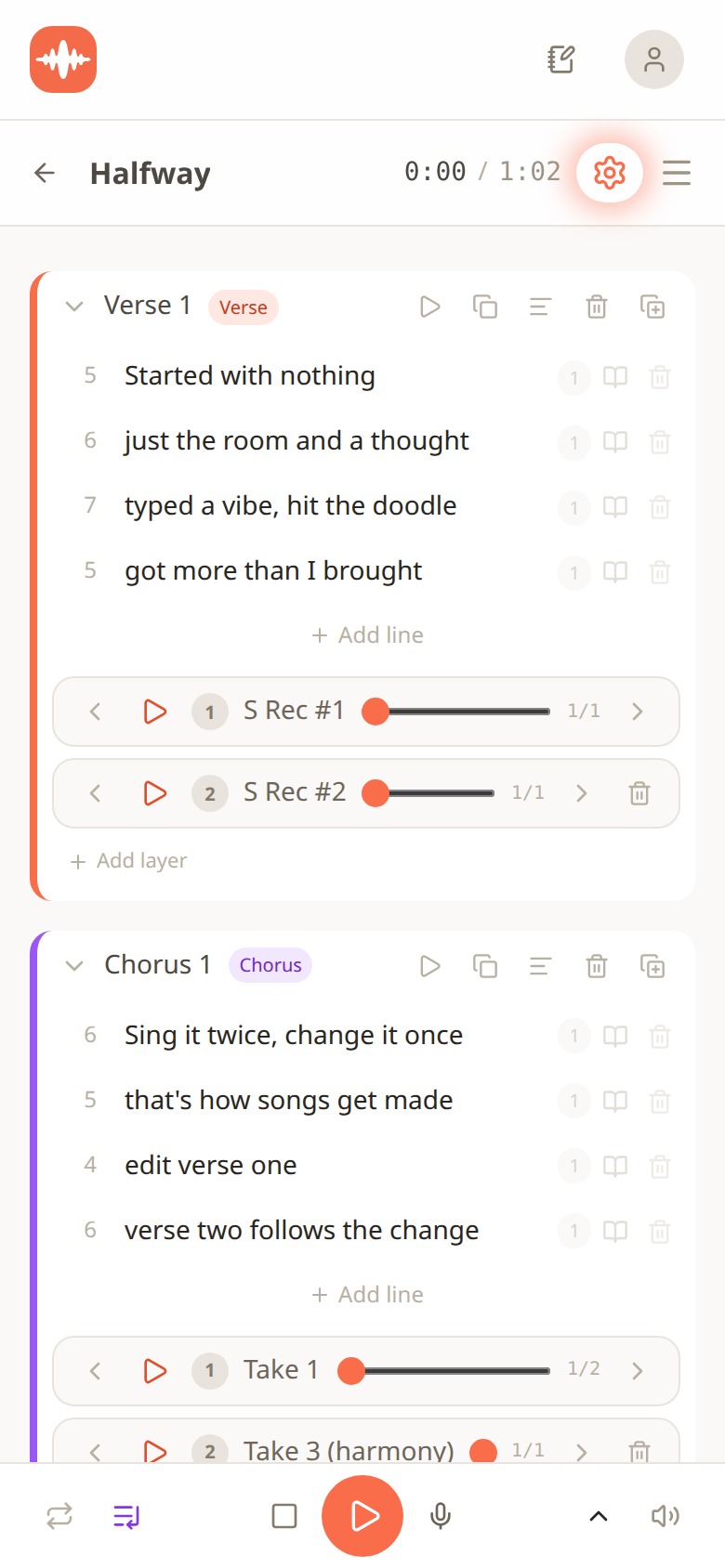
Melodoodle lyrics editor showing Verse 1 and Chorus 1 of a song called Halfway, each line with a syllable count, and recorded takes listed under each section
Because the chords are right there, changing a chord under a line is immediate. Swap the F for a C under for, hit play, and you hear whether the couplet closes or hangs before you've committed to anything. That's the Am | F | G | C experiment from above, done in two taps instead of a rewrite.
Rhymes are one tap away too. Type a word, get suggestions, tap one to copy it. The screen below shows thought searched in English, with fraught, taut, knot, forethought and a few dozen others, and an Español tab next to it. Rhyme suggestions work in both English and Spanish, which matters if, like me, you write in both and your best line sometimes shows up in the other language.
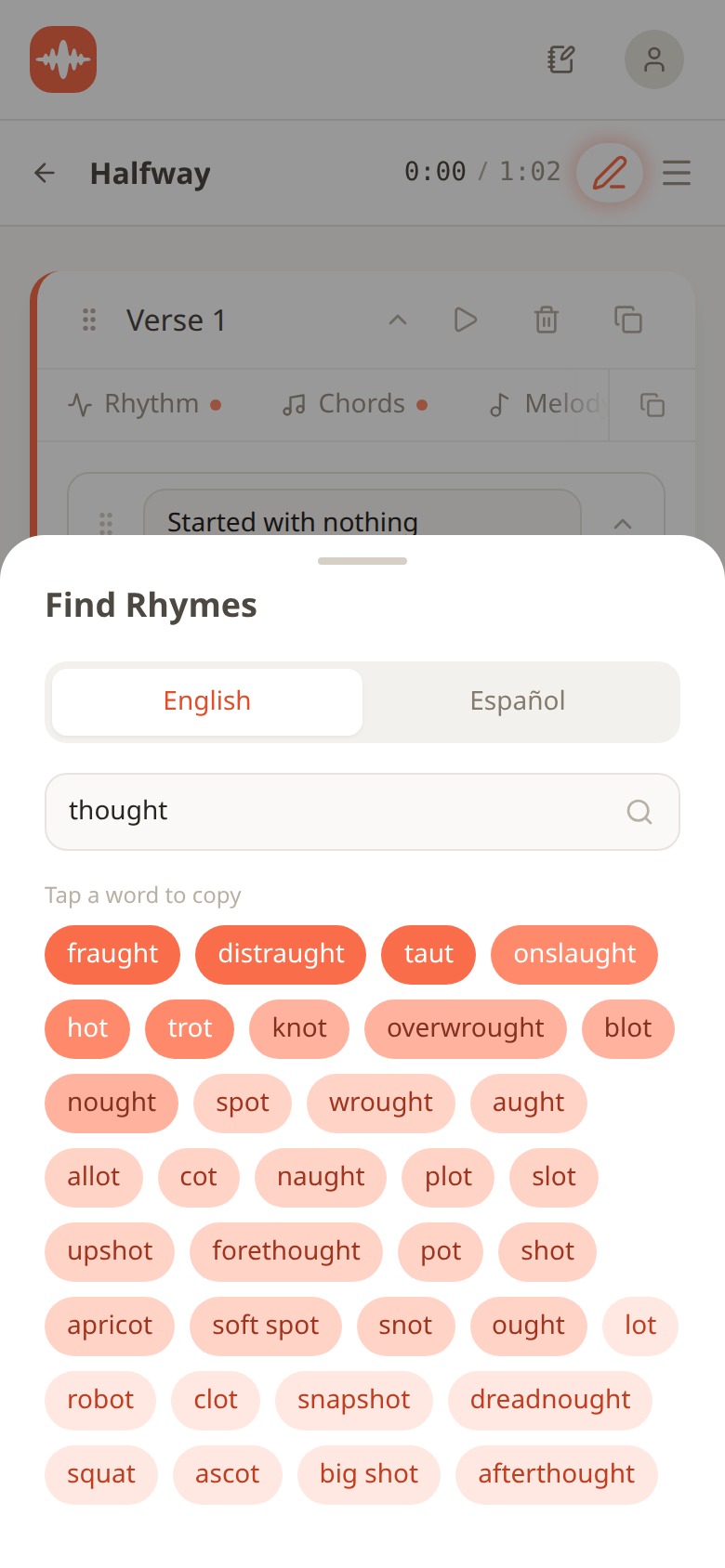
Melodoodle Find Rhymes panel with English and Español tabs, the word thought entered, and tappable rhyme suggestions below
Two more things that fix real problems. First, a take recorded on a section keeps the lyric it was sung to. If you rewrite the second line after recording Take 1, Take 1 still knows which words it carried, so you can compare the old version and the new one honestly instead of guessing. Second, there's a lyrics view of the whole song, section by section, with the takes beside each part. Below you can see the full sketch read top to bottom, which is how you catch a verse that rhymes on the resolving chord while the chorus rhymes on the hanging one.
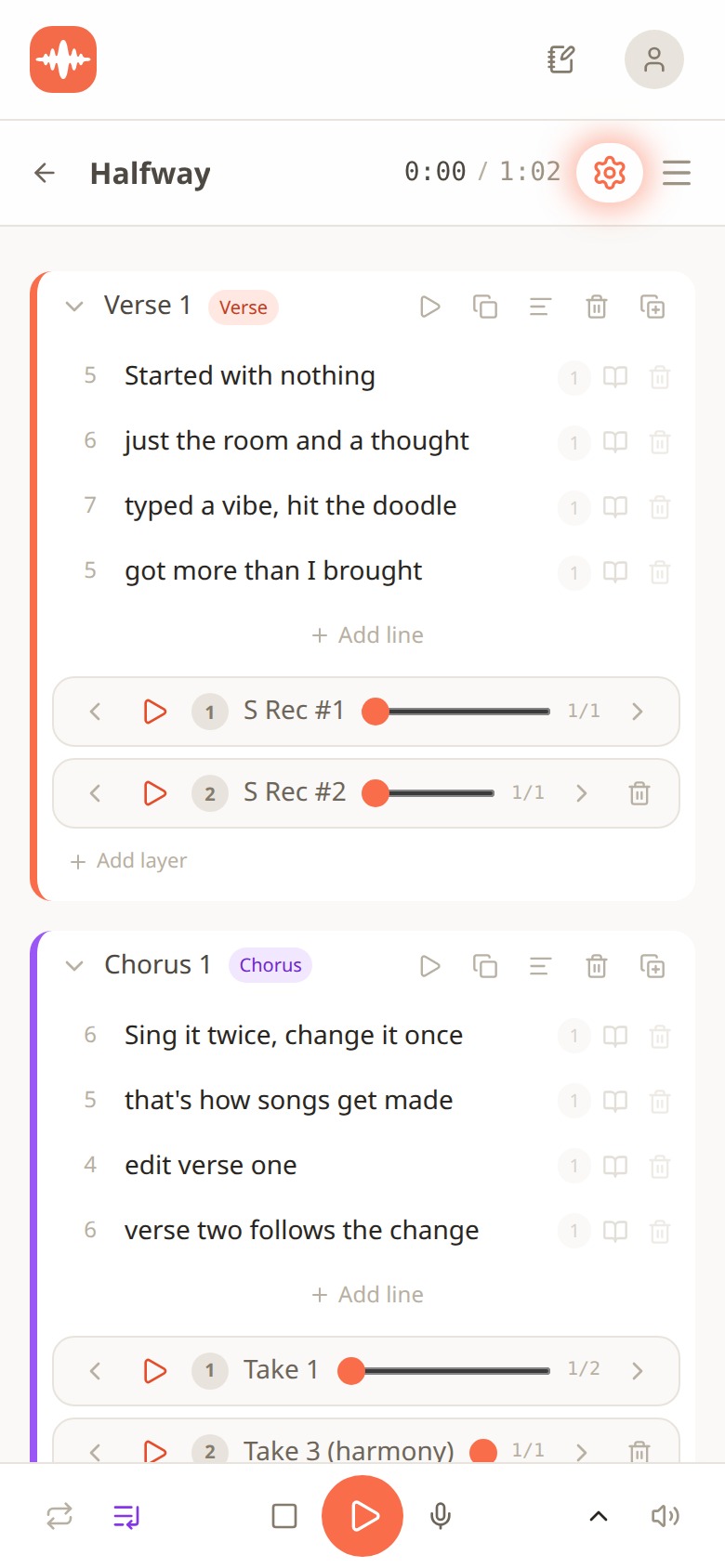
Melodoodle lyrics view showing the whole song section by section, Verse 1 and Chorus 1, with the takes listed beside each section
The practical bits: Melodoodle is free forever and fully functional, no walls, no account needed. A Pro tier adds voice effects (reverb, compression and equalizer presets), export to MP3 and MIDI, and Publish and Share with an artist profile; the price is shown inside the app. On Android it's on Google Play at https://play.google.com/store/apps/details?id=app.melodoodle.www.twa. On iPhone you install it from the browser: open melodoodle.app in Safari, tap Share, then Add to Home Screen (it isn't on the Apple App Store). On a desktop it installs from Chrome or Edge (the install icon in the address bar) or from Safari (File, then Add to Dock). Once installed it works offline. The interface is in English and Spanish, chord names come as letters (C, Am, F) or solfège (Do, Lam, Fa), and the longer explanation of what it does lives at https://melodoodle.io.
An editing checklist for lines that won't sit
Whether you use the app or a pencil and a guitar, run every line through this before you keep it. It takes about a minute per couplet and it saves the hour you'd spend at the mic wondering why the take feels tight.
- Count the beats per line against the chords, not the syllables on the page. Two bars of 4/4 is eight beats. If you have more syllables than you can comfortably place, cut from the front of the line first (the And, the But, the I).
- Put the important word on the strong beat. Find the syllable that lands on each chord change and make sure it's a word you'd want to hold. If it's the, and, or the tail end of a longer word, move it.
- Rhyme where the chord resolves if you want the thought to close. Rhyme on the hanging chord if you want it to pull into the next section. Decide which one you want, then check that's what's happening.
- Sing every line before keeping it. Not read. Sing. Over the actual chords, at the actual tempo. If you have to speed up to get the words in, the line is too long, no matter how good it looks.
Quick tip: if a line is one beat too long and you can't find a word to cut, try moving the rhyme word one beat earlier and letting the last beat be a rest. Singers love a rest. Listeners hear it as confidence.
After a few weeks of writing this way, something shifts: you stop writing lines and start writing placements. You'll find yourself hearing the chord change before the word arrives and reaching for the word that belongs there. That's the skill. The app just makes it harder to skip.
Questions people also ask
Should I write the lyrics or the chords first?
Either, as long as they meet early. Lyric-first writers get into trouble when the words are finished before a single chord is chosen. Write a couplet, put a loop under it, sing it, adjust. Then write the next one.
How many syllables should a lyric line have?
There's no fixed number. What matters is beats: over two bars of 4/4 you have eight strong and weak positions, and most singable lines use between six and ten syllables across them, with the stressed ones on the downbeats where the chords change.
Why does my rhyme feel unfinished even though it rhymes?
Because it's landing on a chord that hasn't resolved. In a C, G, Am, F loop, a rhyme on F or G sounds like a question. Move the rhyme so it lands when the progression returns to C, or reorder the loop so the last chord is home.
Does Melodoodle work offline and do I need an account?
Yes and no. Once you install it (from Google Play on Android, from the browser on iPhone or desktop), it works offline. No account is needed and the free version is fully functional; Pro adds voice effects, MP3 and MIDI export, and Publish and Share.
Can I write lyrics in Spanish in Melodoodle?
Yes. The interface is in English and Spanish, rhyme suggestions work in both languages, and chord names can show as letters (C, Am, F) or solfège (Do, Lam, Fa).
If you've got a line that reads beautifully and sings like a mouthful, drop it in the comments with the chords under it. I'll happily take a swing at where the stress wants to go.

Pablo Dominguez
Full Stack Developer passionate about building interesting projects and learning new skills.