
Someone asked me this a couple of weeks ago, almost apologetically: "I message myself on WhatsApp to save my notes and ideas. Is there a better way?"
They said it like they were confessing something. As if texting yourself was the productivity equivalent of eating cereal for dinner.
Here's the thing: I did exactly the same for years. My WhatsApp had a chat with my own number at the top. My Telegram had a "Saved Messages" folder with 1,400 entries. My inbox had dozens of emails with no subject line and a single sentence in the body. Sounds familiar?
So the short answer is yes, there's a better way. But before we get there, I want to defend the habit, because it exists for a very good reason, and any replacement that ignores that reason is going to fail.
Why Texting Yourself Actually Makes Sense
Let's be honest about what happens when an idea shows up. It doesn't arrive at 10 AM while you're sitting at a clean desk with your notes app open. It arrives at 11:47 PM, in bed, half asleep. It arrives in the shower, in the elevator, in the middle of a conversation about something else entirely.
And in that moment, speed is everything. You have maybe five seconds before the thought starts to fade or your attention gets pulled elsewhere.
Now compare two paths. Path one: unlock phone, open a notes app, wait for it to sync, tap "new note", decide which folder it belongs to, give it a title, type the idea. Path two: unlock phone, tap WhatsApp (it's already on your home screen, probably in the dock), tap your own chat, type, send.
WhatsApp wins. It opens instantly because it's already running in the background. Capture is literally one tap plus typing. There's no friction, no decisions, no "where does this go?" question standing between you and saving the thought.
The best capture tool is the one you'll actually open at midnight. Everything else is theory.- Pablo Domínguez
I get that this sounds like a small detail. It isn't. I've tried at least six "proper" note-taking apps over the years, and every single one of them lost to WhatsApp for the exact same reason: they asked me to think before I could save. Chat apps don't. You just talk.
So no, you're not being lazy or disorganized. You've stumbled onto something that genuinely works for the capture part. The problem is everything that happens after.

Where It Quietly Falls Apart
Now, let's talk about the part nobody wants to admit. Your self-chat is great at receiving information and terrible at giving it back.
After about three months of daily use, I noticed the same three failures kept showing up. Not occasionally. Every single week.
No grouping by project or topic
A chat is a single timeline. That's it. A book recommendation sits right next to a client's phone number, which sits next to a half-formed business idea, which sits next to "buy olive oil". Everything is ordered by when you thought it, not by what it's about.
Search helps a little, but only if you remember the exact word you used. Did you write "landing page" or "homepage" or "the website thing"? Good luck.
Deadlines and reminders drown
This one hurt me the most. You text yourself "call the accountant before Friday" on a Monday. By Wednesday, that message is 40 entries up the scroll, buried under grocery lists and screenshots. The chat never nags you. It never surfaces it again. It just sits there, technically saved, practically gone.
A note that's actionable and a note that's just a thought look identical in a chat bubble. Your brain has to do the sorting every time you scroll, and your brain is exactly what you were trying to offload in the first place.
One idea, scattered across weeks
Ideas don't arrive complete. You get a fragment on a Tuesday night. A second piece the following Sunday. A third one two weeks later while listening to a podcast. In a chat, those three fragments end up hundreds of messages apart, with no thread connecting them.
I once found four separate messages about the same side project, spread over five weeks. Each one was a genuinely good addition. None of them knew the others existed. The idea never grew because the chat had no concept of "this belongs with that".
Don't get me wrong, the information isn't lost. It's all there. But "technically saved" and "actually useful" are very different things, and the gap between them gets wider every single day you add to the scroll.

What a Real Replacement Needs
So what would actually beat the self-chat? Not a fancier notes app. I've been down that road. A real replacement has to keep the one thing that works and fix the three things that don't.
After a lot of trial and error (and a lot of abandoned apps), I landed on three non-negotiables:
- Equal capture speed: open, type, send. Zero decisions at the moment of capture. If it's slower than WhatsApp at midnight, it loses.
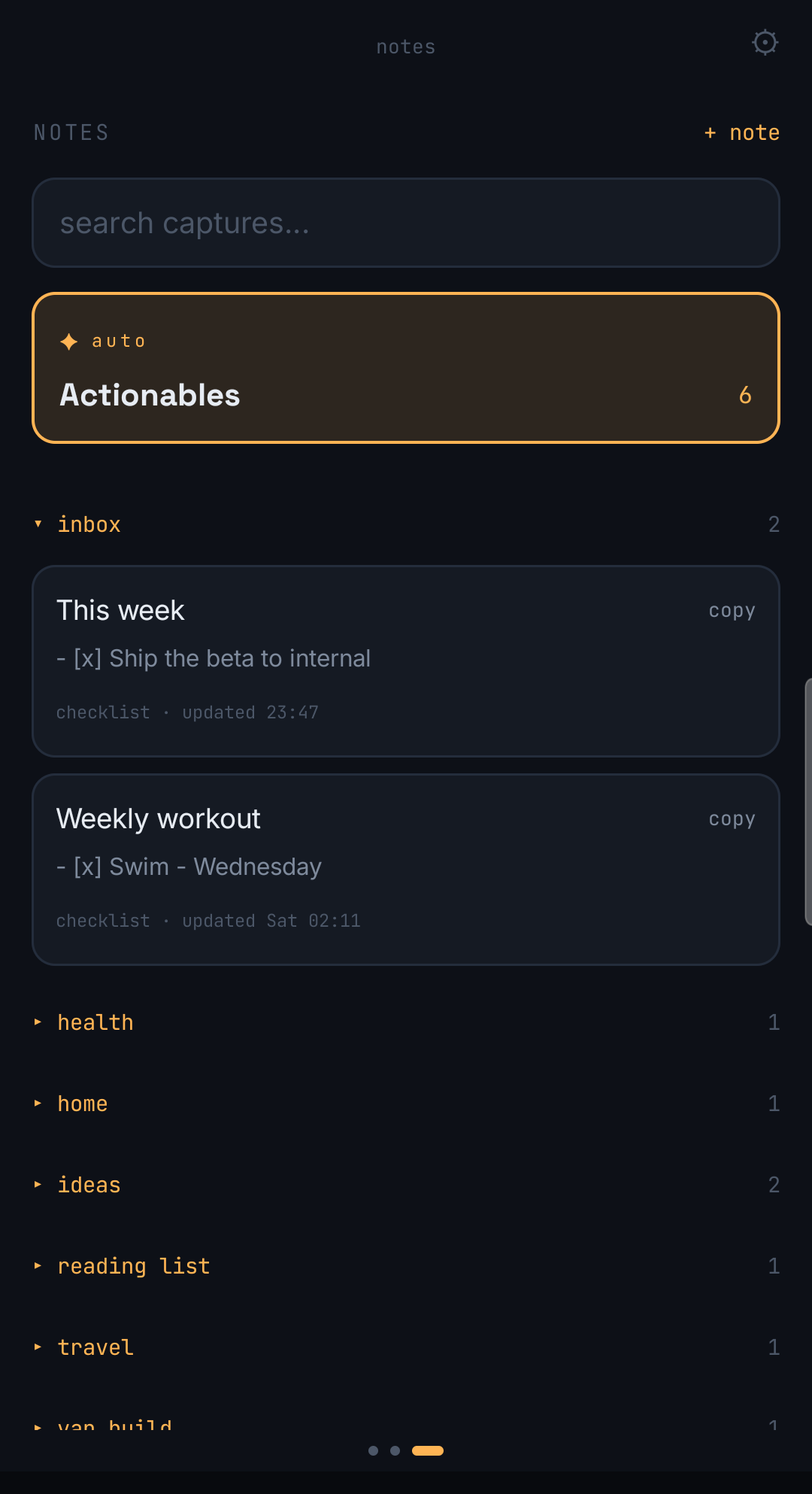
- Captures get filed into growing notes: each fragment lands inside a topic or project, so the idea you had three weeks ago and the one you had tonight end up on the same page.
- Reminders for actionable items: if something has a deadline or needs doing, it should come back to you. On its own. Without you scrolling to find it.
Notice what's not on that list. No folders to set up first. No templates. No tagging system you'll abandon in a week. The organization has to happen after capture, not as a toll you pay before it.
Quick tip: whatever you end up using, test it at night, in bed, half asleep. Not at your desk. If it survives that, it survives everything.
So I Built ChatNote
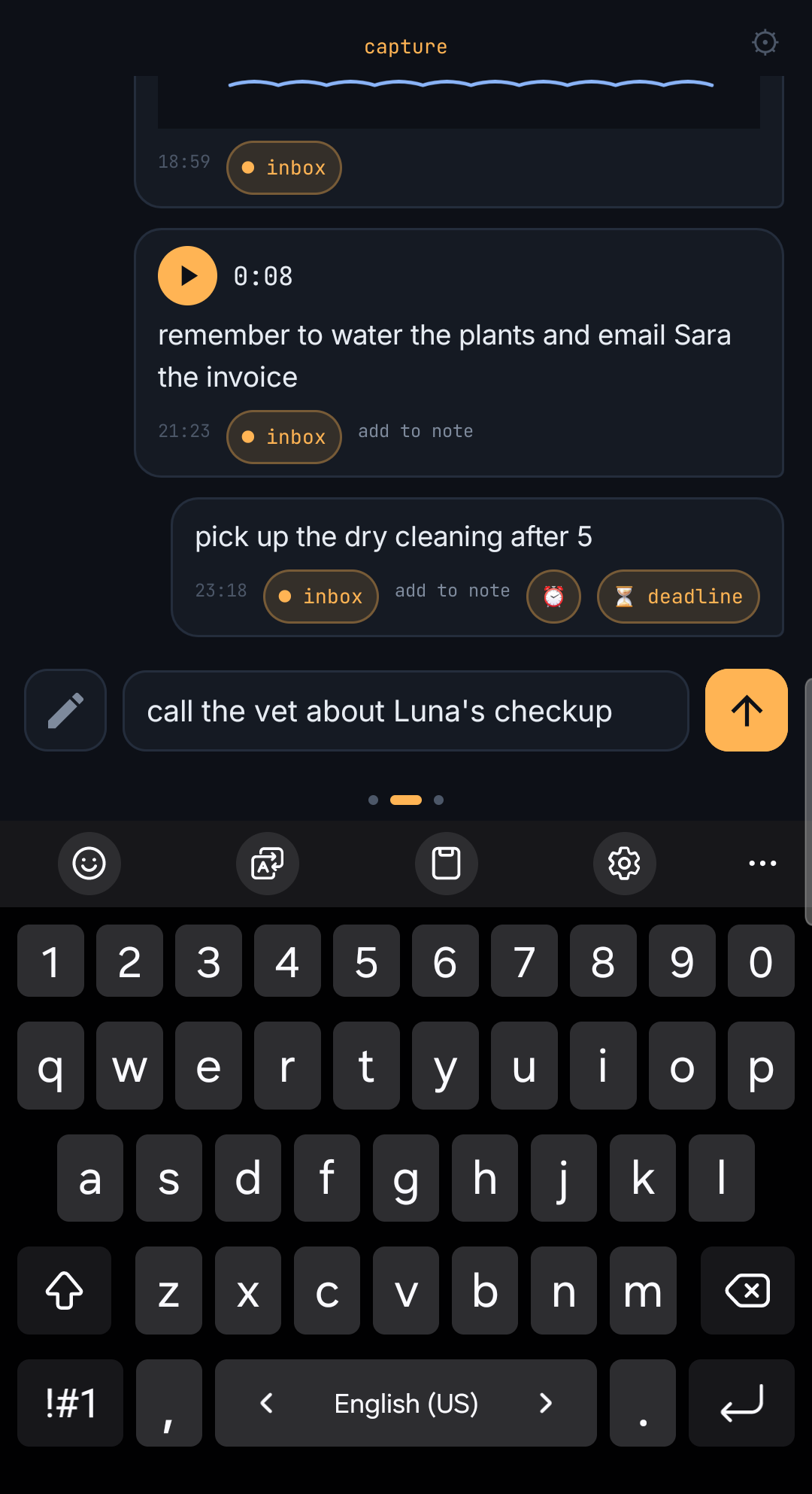
I couldn't find anything that hit all three, so I built it. It's called ChatNote, and the idea is simple: it looks and feels like a chat with yourself, because that's the interface that actually wins at capture time.
But here's the trick: instead of piling up in one endless scroll, each message you send gets filed into a note. Say something about your side project, it goes into the side project note. Mention the book someone recommended, it joins your reading list. The fragments you'd normally lose weeks apart end up sitting together, and the note grows over time instead of the chat growing over time.
And if what you send is actionable, like "call the accountant before Friday", it gets a reminder attached. It comes back to you on Thursday. You don't scroll for it. You don't remember it. It just shows up.
I used it myself every day for a month before telling anyone about it. Honestly, that first month was mostly me finding all the ways it was slower or more annoying than WhatsApp, and fixing them one by one. The rule was simple: if I ever reached for my old self-chat out of habit, that was a bug.
After 30 days, I hadn't opened my WhatsApp self-chat once. Not because I forced myself, but because there was no reason to. Capture was just as fast, and for the first time, the things I saved were actually findable and actually came back to me when they mattered.
The Short Answer
So, is there a better way than messaging yourself on WhatsApp?
Yes. But not the way most people think. The answer isn't to stop texting yourself. The answer is to keep that exact motion and change what happens on the other end.
Keep the speed. Add the filing. Add the reminders. That's it.
If you want to try what I built, ChatNote is below. And if you've found a different solution that survives the midnight test, I genuinely want to hear about it. Drop it in the comments, I read every one.

Pablo Dominguez
Full Stack Developer passionate about building interesting projects and learning new skills.