
Why I built this for myself first
I sing. Not professionally, but seriously enough that I warm up most days, and seriously enough that I got tired of the tools I was warming up with.
Here's the thing about my voice: it doesn't stop where the apps think it should. Below my chest voice there's a subharmonic rattle I've spent years learning to control. Above head voice there's flageolet, that thin flute-like tone, and above that a bit of whistle. Every warmup app I tried drew a neat box from roughly A2 to A5, played a cheesy synth tone, and called it a day. Sounds familiar?
So I did what developers do when they're annoyed. I opened an editor. The first version of Scalita wasn't a product. It was a piano that started from my range and went where my voice goes. Everything else grew out of that.
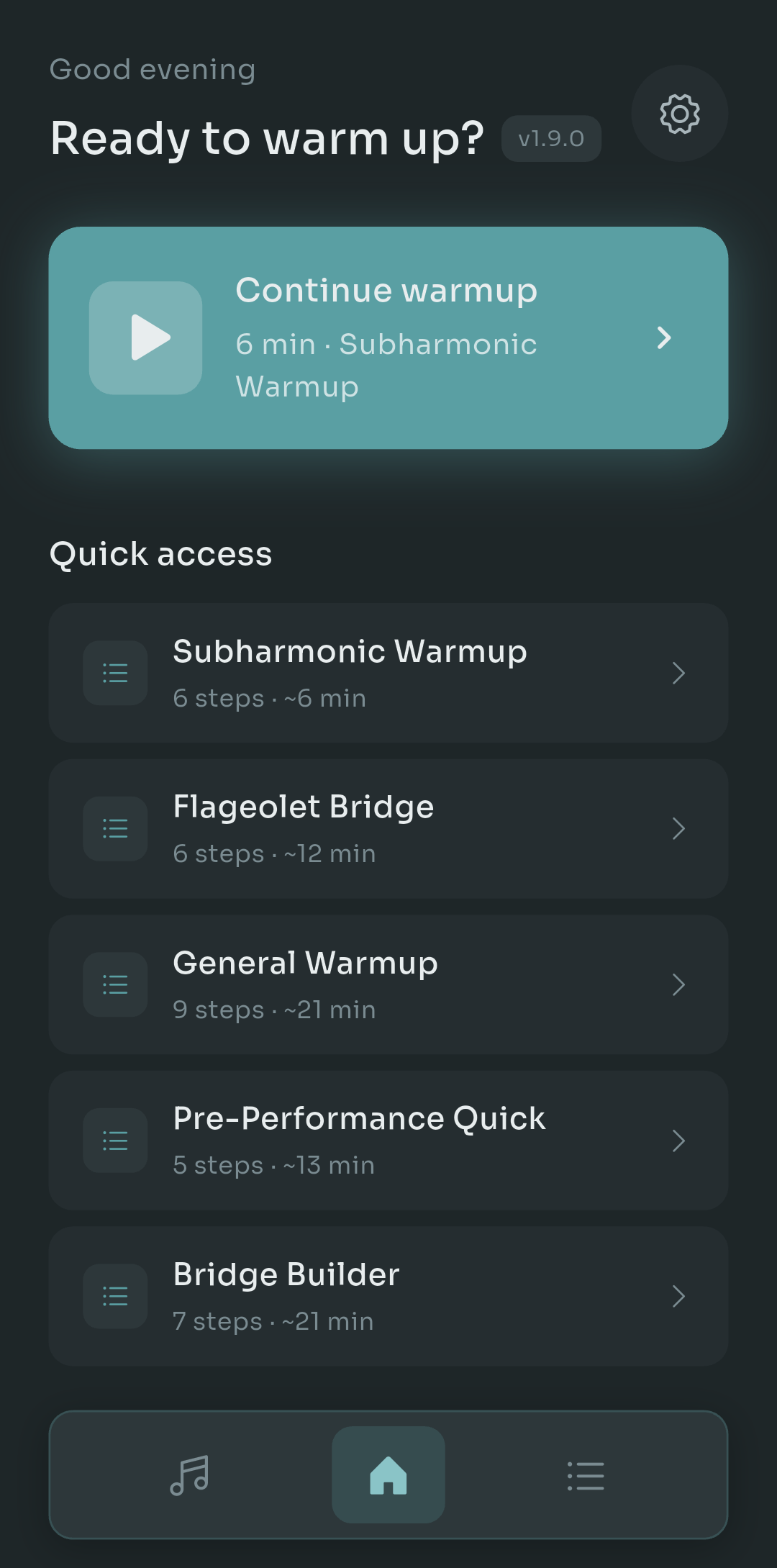
Scalita 1.9.0 home screen showing Continue warmup and quick access routines including Subharmonic Warmup and Flageolet Bridge
That's the home screen today, version 1.9.0. Notice what's in the quick access list: Subharmonic Warmup, Flageolet Bridge, Bridge Builder. Those aren't there because a market study told me singers wanted them. They're there because I wanted them. This post is about how each piece came to exist, in the order I actually hit the problems.
Six problems, in the order I hit them
The piano problem
The very first thing that bothered me was the sound. Most apps use a synthesized tone, and I get why: it's tiny, it's easy, it never goes out of tune. But I'd been warming up next to a real upright for years, and matching pitch against a buzzy sine wave felt wrong. Your ear locks onto a piano differently. The attack, the decay, the slight imperfection of a real string.
So Scalita uses the Salamander Grand Piano samples across all 88 keys. Not a synth pretending to be a piano, an actual recorded Yamaha, note by note. That decision cost me a lot of download size and a few weeks of work on sample loading and memory on cheaper Android phones. Worth it. The first time I heard A0 rumble out of my phone while I was practicing subharmonics, I knew this was the right direction.
The range problem
Once the piano sounded right, the next irritation showed up immediately. Every exercise I found online was written for someone else's voice. A lip trill from C3, five-note scales from a generic starting pitch, all of it assuming a comfortable middle that wasn't mine.
But here's the trick: you set your range once, low note and high note, and everything in the app transposes to it. Every routine, every step, every scale. If a warmup is supposed to climb through your passaggio, it climbs through your passaggio, not some average tenor's. This sounds obvious. It took me embarrassingly long to realize no app I'd used actually did it end to end.
The register problem
Now, let's talk about the feature that made me build the app in the first place.
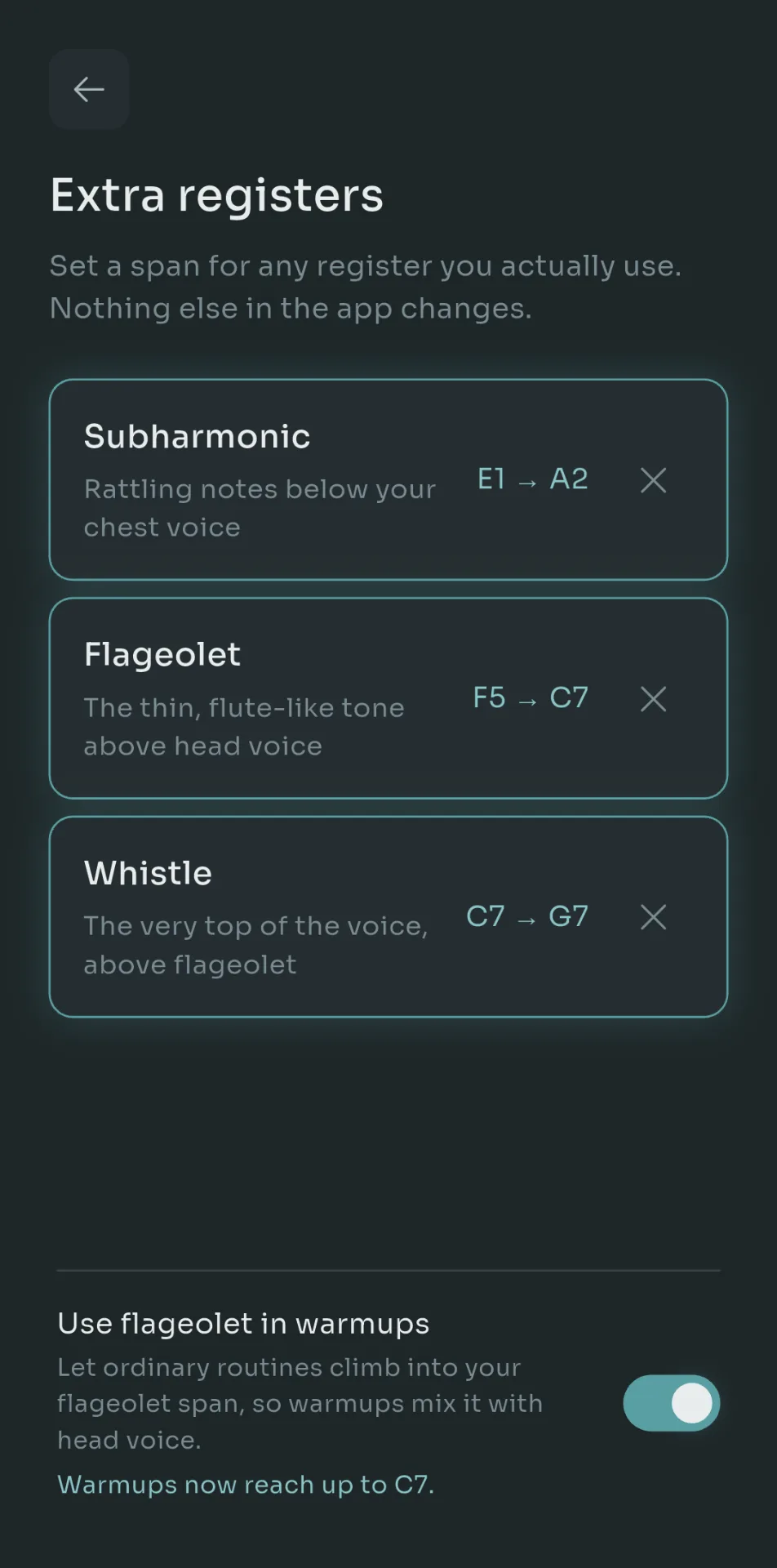
Scalita extra registers screen with separate spans for Subharmonic, Flageolet and Whistle, plus a toggle to use flageolet in warmups
This is the Extra registers screen. You'll notice it does something a bit unusual: it treats subharmonic, flageolet and whistle as separate spans, independent from your main range. Mine are set to E1 to A2 for subharmonic, F5 to C7 for flageolet, and C7 to G7 for whistle. Yours will be different. You can set any of them, or none. The line at the top says it plainly: nothing else in the app changes.
Why separate? Because these registers don't behave like an extension of your normal voice. Subharmonics need slow, low, relaxed onsets. Flageolet needs a very different kind of breath support. Mixing them into a general warmup ruins both. So each one gets dedicated routines: a 6-minute Subharmonic Warmup, a 12-minute Flageolet Bridge that connects head voice to the register above it.
There's one toggle at the bottom, Use flageolet in warmups, that lets your ordinary routines climb into that span if you want them to. I use it on days when I'm working on the transition. Most days I leave it off. Having the choice was the whole point.
I didn't want an app that told me where my voice ends. I wanted one that asked.- Pablo Domínguez
The "what do I do today" problem
After a few months of daily use, a different problem appeared. I had the piano, I had the routines, and I'd open the app and stare at the list. Tired voice after a late night? Ten minutes before a rehearsal? Fresh morning with an hour to spare? The right routine is different each time, and picking it is friction.
Two features came out of that. Find My Warmup asks you three or four quick questions (how much time, how does your voice feel, what are you preparing for) and hands you a routine. Adaptive Mode goes further: it listens while you sing and adjusts the range of the next step based on how the current one went. Cracking at the top? It backs off a semitone or two. Sailing through? It nudges higher.
I get that "adaptive" is a word apps love to throw around. Here it means something narrow and specific: pitch tracking on your last few notes deciding the starting key of the next exercise. No AI, no cloud. Just a feedback loop that runs on your phone.
The harmony problem
I sing in a small vocal group, and the hardest thing to practice alone is harmony. You can drill your line against a piano all week and still drift the moment three other humans are in the room. That's because a piano is tuned in equal temperament, and a cappella groups naturally pull toward just intonation, where a major third sits about 14 cents lower than the keyboard version.
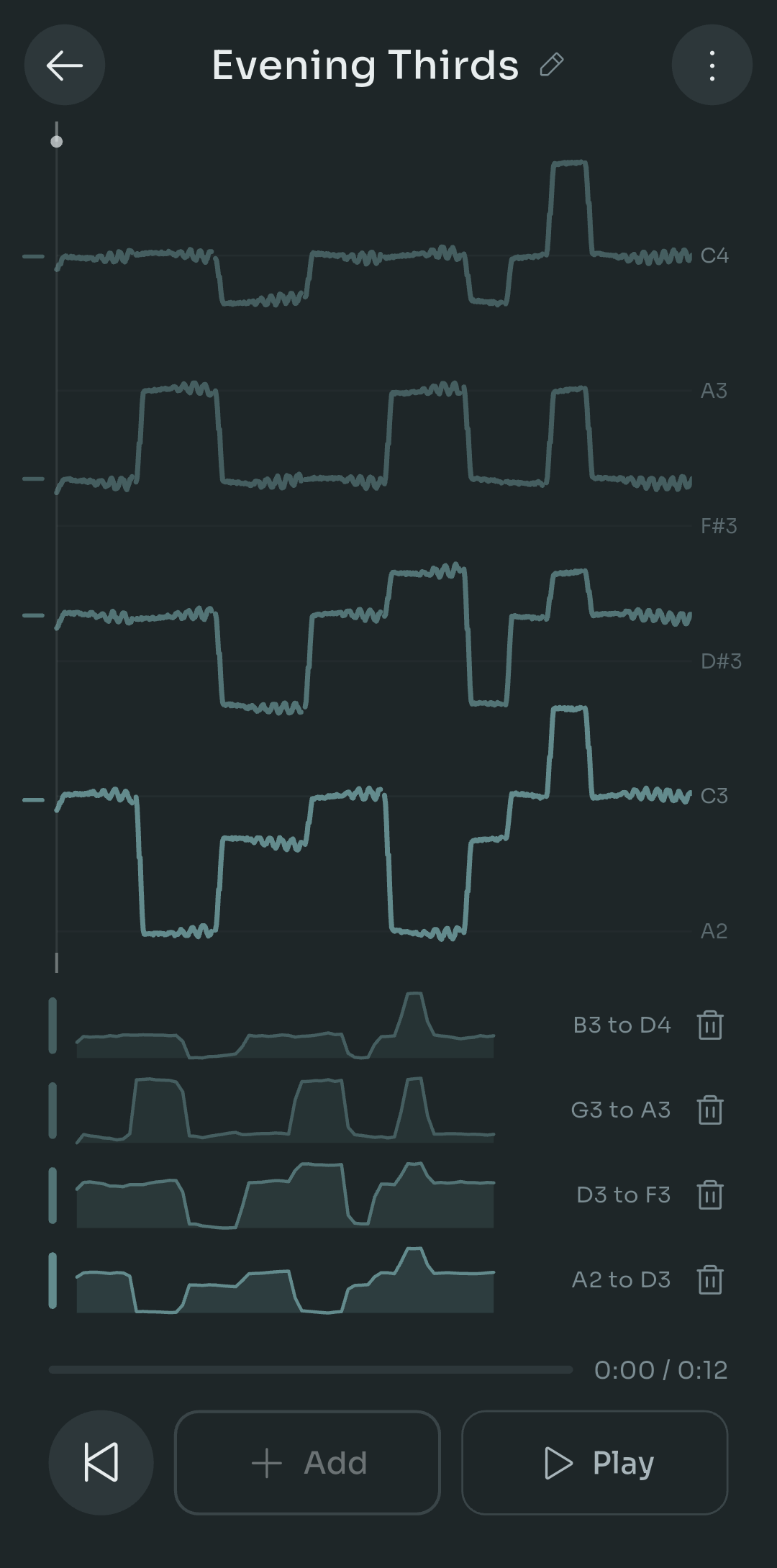
Scalita harmony training screen titled Evening Thirds showing four recorded vocal parts as pitch traces stacked from C4 down to A2
This is the newest feature and the one I'm most unsure about. You record four parts of yourself, one after another, and the app stacks them. In the screenshot you can see my four takes on "Evening Thirds": B3 to D4 on top, then G3 to A3, D3 to F3, and A2 to D3 at the bottom, each drawn as a pitch trace. Play it back and you hear a quartet made of one person.
The part I care about is the judging. Instead of scoring each note against the piano key, Scalita compares each part against the just-tuned interval relative to the bass. So if your third is sitting exactly where the keyboard says it should, the app will tell you it's a touch sharp for the chord. Uncomfortable at first. Very good for your ears after a week.
The stolen-exercise problem
Every singer steals exercises. You hear a pattern in a lesson, in a YouTube video, from a friend who studied with someone famous, and you want it. Then you get home and try to remember: was it up a fourth then down a third, or the other way around?
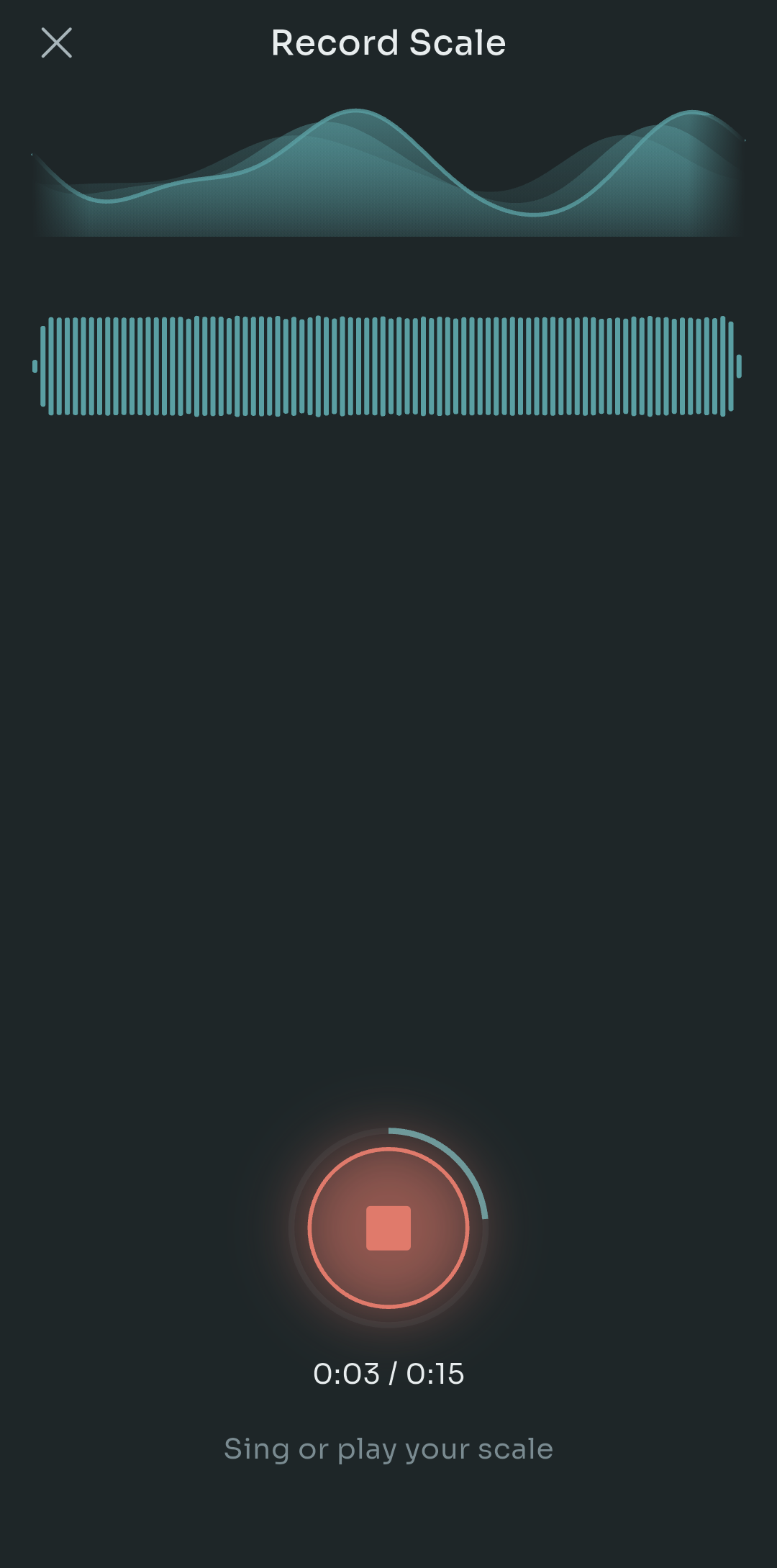
Scalita Scale Detector recording screen with a live pitch curve, waveform, and a red stop button at 3 seconds of 15
The Scale Detector gives you 15 seconds. You sing or play the pattern, the app tracks the pitch (that's the teal curve at the top of the screenshot), works out the intervals, and turns it into an exercise that transposes across your range like everything else. I built it after losing a great five-note pattern for the third time. Now I record it on the spot, usually in the car park outside the rehearsal room.
Quick tip: hum the pattern with a straight tone and no vibrato when you record. The detector handles vibrato reasonably well, but a clean take gets you a clean exercise on the first try.
What I decided about money
I spent a long time on this decision, longer than on some features. The honest summary: everything works free. Every routine, every register, harmony training, the detector. Pro is $4.99, once. It unlocks convenience things like unlimited saved patterns and custom routine building. That's it.
- No subscription
- No account, no login, no email
- No ads
- No data collection, nothing leaves your phone
- Works fully offline
Why? Partly principle. A warmup app is something you open for ten minutes a day, and the idea of it charging me monthly, or nagging me to sign in, or uploading my voice somewhere, felt absurd. Partly practicality: I built this for me, then for singers like me, and I don't want a business that depends on making it worse to push upgrades. One fair price covers the Play Store fees and the coffee. That's enough.
I get that this leaves money on the table. Subscriptions are how most apps survive. I'd rather Scalita stay small and honest than grow and become the thing I was trying to escape.
Five languages, and why solfege matters
Scalita ships in English, Spanish, French, Brazilian Portuguese and German. Those aren't random. I'm Spanish, my group has French and Brazilian members, and German covers a big chunk of the classical and choral world that emailed me early on.
But the translation part is the easy bit. The important bit is note names. If you grew up in Spain, France, Portugal or Brazil, you almost certainly learned fixed-do solfege. A C is not a C to you, it's a Do. F5 is Fa5. Show a Spanish choir singer a range picker in letters and they'll translate in their head on every single note. It's slow, and it's the kind of small friction that makes people quit.
So in those three languages, Scalita shows Do, Re, Mi everywhere: range setup, register spans, the detector output, the harmony traces. English and German keep letters (German gets its H for B, which is a whole story on its own). It was a couple of days of work and it's the feature I get the most thank-you messages about.
What's still rough, and where this goes next
Let me be plain about a few things.
Scalita is Android only for now. iOS is on the roadmap and it's the single most requested thing, but the audio engine is built on Android APIs and porting it properly is months of work, not weeks. I'd rather say that clearly than promise a date I'll miss.
Whistle register tracking is unreliable. Above C7 the pitch detector struggles with breathy or very quiet tones, so the app sometimes shows you a note you didn't sing. I've got ideas, none of them shipped yet. Treat whistle feedback as a rough guide.
Harmony training caps at four parts, and playback latency on some older phones makes the fourth take feel late. I'm working on it. Also still on the list: exporting recorded patterns to share with your teacher, and a proper sight-reading view for the harmony traces.
If you've read this far, you're probably one of two people. A singer who's nodded along at least once, in which case I'd love for you to try it and tell me where it falls short. Or a developer thinking about building for a niche you belong to, in which case my only advice is this: start with the version that's only for you. Every good feature in Scalita began as something I personally needed. Every mediocre one began as something I thought other people might want.
Real piano. Your range. Just sing.
Questions, bug reports, exercises you want the detector to handle better: leave a comment or write to me. I read all of it, usually between warmups.

Pablo Dominguez
Full Stack Developer passionate about building interesting projects and learning new skills.