
The Three Seconds That Kill an Idea
Last month I had what felt like a genuinely good idea for a talk while waiting for the metro. I pulled out my phone, tapped the note app I'd installed two weeks earlier, and watched a logo animate on a splash screen. Then a sync spinner. Then the home view. Then I tapped the plus button and the editor loaded. By the time the keyboard appeared, the train had arrived and the idea had turned into a vague feeling that I used to have an idea.
Sounds familiar?
That experience sent me down a rabbit hole. I stopped asking which note app has the best features and started asking a much narrower question: which Android app gets me from pocket to keyboard in the least time? Not from home screen to a list of notes. From a cold start, meaning the app isn't in memory, to a blinking cursor with the keyboard already up.
My thesis, after a couple of weeks of stopwatch and adb measurements, is simple: for capturing thoughts, cold-start speed matters more than any feature. A 3-second splash screen is not a minor annoyance. It's the single biggest reason people never build a note-taking habit.
Why the Gap Between Idea and Keyboard Is Where Thoughts Die
Let's talk about the mechanism, because this isn't just impatience.
A fleeting thought lives in working memory, and working memory is brutally short-lived. Cognitive psychology puts the unrehearsed retention window somewhere in the range of 15 to 30 seconds, but that's under lab conditions with nothing competing for attention. In real life you're walking, someone is talking, a notification pops up. Every second you spend watching a loading indicator is a second of active interference, and the thought degrades fast.
Here's the part most app makers miss: the friction isn't only the wait itself. It's the anticipation of the wait. Once your brain learns that opening the note app costs 3 to 5 seconds plus two taps, it starts making a quiet cost-benefit call every time. "Is this idea worth the hassle?" Half the time the answer is no, and you never find out whether that idea was any good.
This is exactly why so many people end up using WhatsApp as a note app. Not because it's good at notes (it's terrible at notes), but because it's almost always warm in memory, the self-chat is pinned at the top, and the text field is already focused when the chat opens. Zero splash screen, zero "new note" tap, zero decision about which folder this belongs in. You type, you send, done.
WhatsApp accidentally solved the capture problem and completely ignored everything after capture. That tradeoff tells you what people actually value in the moment an idea appears.
The best note app is the one that's already open when the idea shows up. Everything else is a tax on your memory.- Pablo Domínguez

The Honest Speed Comparison
I want to be careful here. Cold-start numbers vary a lot by device, Android version, how many apps you have installed, and whether the system has already trimmed the app from memory. So treat these as ballpark figures from a mid-range Pixel and a Galaxy S-series, force-stopped before each launch, measured as time from icon tap to a usable, focused text field. I averaged five runs each.
If you want to reproduce this, the built-in activity manager gives you a rough TotalTime in milliseconds. It only measures until the first frame draws, so add your own taps on top, but it's a fair baseline:
# Force-stop the app so the next launch is a true cold start
adb shell am force-stop com.google.android.keep

# Launch and wait, reporting time to first frame
adb shell am start -W -n com.google.android.keep/.activities.BrowseActivity

# Look for these lines in the output:
# ThisTime: 1180
# TotalTime: 1180
# WaitTime: 1210
Google Keep. Roughly 1.2 to 1.8 seconds to the note grid on a cold start, which is honestly decent. The problem is what comes next: you still need to tap "Take a note," wait for the editor to inflate, and only then does the keyboard slide up. Realistic pocket-to-typing time lands around 2.5 to 3 seconds. Keep does offer a "New text note" home screen shortcut via long-press on the icon, which shaves off roughly a second. Most people never discover it.
Samsung Notes. On a Galaxy device it's well optimized because Samsung preloads parts of it, so you'll see around 1 second to the notes list. But the app has a real splash screen on true cold launches, and the editor is heavy (it supports handwriting, PDFs, audio). Add the new-note tap and you're at 2 to 3 seconds. On non-Samsung phones it's slower and, frankly, not really designed to be there.
Notion. I'll say this plainly: Notion is not a capture app, and it's not trying to be one. Cold start on Android is 3 to 5 seconds on a good connection, sometimes longer, because it's a web-based client that needs to hydrate your workspace before it shows you anything. Then you navigate to the right page, tap into a block, and wait for the editor. You're regularly looking at 6 to 8 seconds from pocket to first character. Notion is built for organizing information you already have. For catching an idea on a moving train, it's the wrong tool, and that's fine.
WhatsApp, the unofficial benchmark. Here's the uncomfortable truth. A true cold start of WhatsApp is around 1 to 1.5 seconds, so not dramatically faster than Keep on paper. But WhatsApp is almost never cold. It has background services, it receives messages all day, and Android keeps it resident. In practice, a warm WhatsApp open plus a tap on your pinned self-chat gets you to a focused text field in under a second. That's the number every note app is actually competing against, whether they know it or not.
- Notion: 6 to 8 seconds to typing (cold). Built for organizing, not capturing.
- Samsung Notes: 2 to 3 seconds to typing (cold, Galaxy device). Heavy editor, real splash screen.
- Google Keep: 2.5 to 3 seconds to typing (cold), around 1.5 with the long-press shortcut.
- WhatsApp self-chat: under 1 second (warm), 1.5 to 2 seconds (cold). No organization afterwards.
- ChatNote: about 0.5 seconds to a focused keyboard (cold), via icon or notification shade.
Quick tip: whatever app you pick, check whether it has a launcher shortcut for "new note." Long-press the icon. If there's a direct-to-editor option, drag it onto your home screen. It's the cheapest speed win available and it works on Keep, Samsung Notes and a handful of others.
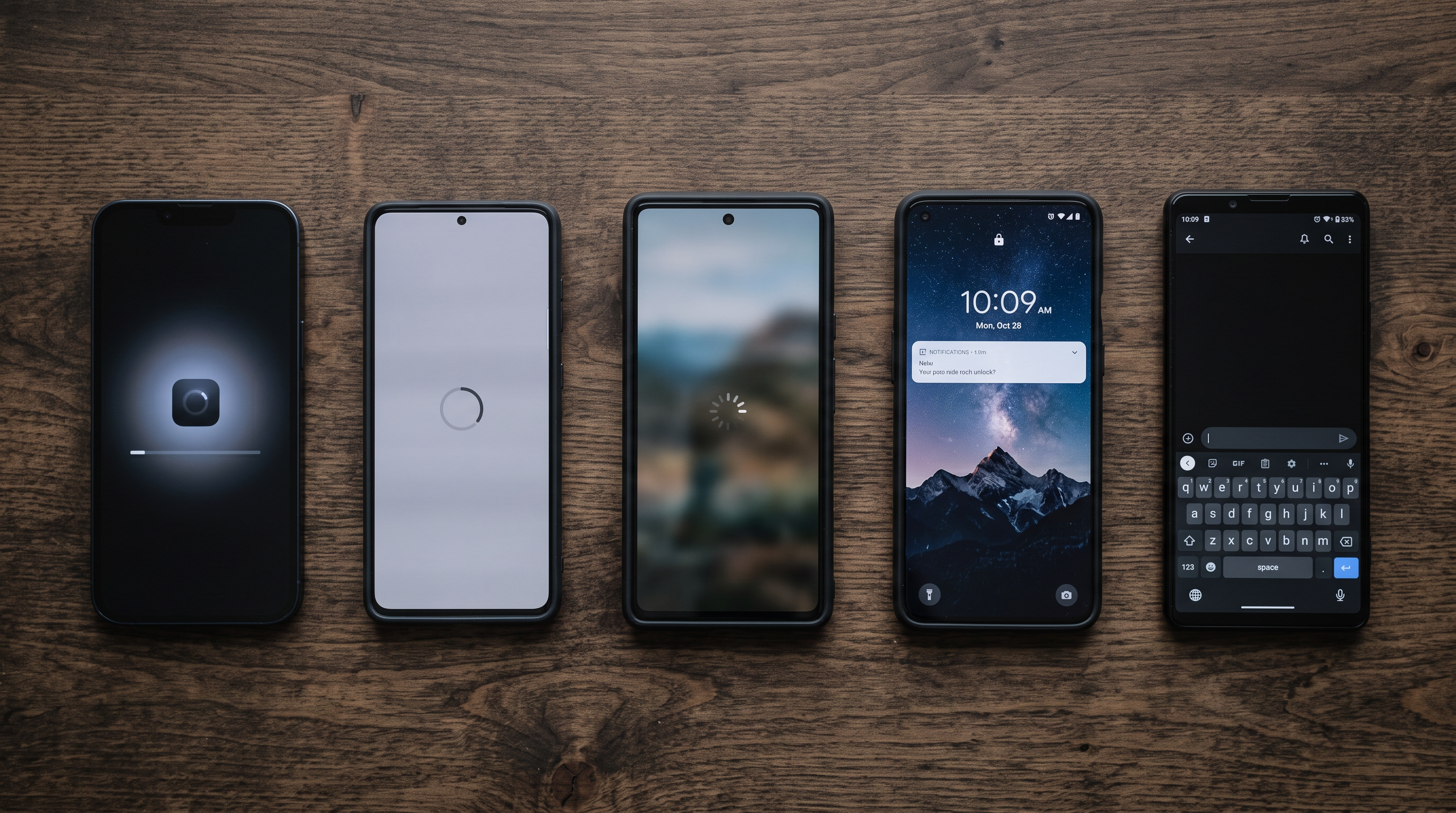
ChatNote: Built Around One Spec
Now, let's talk about the app I ended up building my habit around, and why. I get that "another note app" is not an exciting pitch. But ChatNote is interesting precisely because it refused to be a general note app. The team wrote down one spec and optimized everything else around it: cold start to a focused keyboard in about half a second.
On my Pixel, force-stopped, that spec holds up. The TotalTime from am start hovers around 350 to 450 ms, and the keyboard is already animating in before the first frame settles because the text field requests focus in onCreate. There's no splash screen, no sync-before-render, no list view to get past. The first thing you see is the place where you type.
But here's the trick: the icon isn't even the fastest way in. ChatNote keeps a persistent notification in the shade. Pull down from anywhere, including the lock screen, tap it, and you're typing. That path skips the launcher entirely, and it's the closest thing on Android to WhatsApp's "already open" advantage without needing to be a messaging app that hogs memory.
The interaction model is deliberately chat-like. You type a thought, hit send, and it appears as a message bubble. No title field, no formatting toolbar, no "where should this go" decision at the moment of capture. It feels exactly like messaging yourself, which is the point: it borrows the one thing WhatsApp got right and fixes everything WhatsApp got wrong.
What Happens After You Capture
Speed at the front door only matters if the house behind it isn't a mess. This is where the WhatsApp self-chat falls apart: after three months you have 400 unstructured messages and no way to find the one about the talk idea.
ChatNote's answer is one-tap filing into growing notes. Every captured message sits in a stream, and each one has a small set of destination chips underneath: your existing notes, plus a "new note" option. Tap "Talk ideas" and the message gets appended to that note. Tap it three times across three days and the note grows into something that actually looks like an outline. The capture moment stays at half a second; the organizing happens later, in one tap, when you have a spare moment and a calmer brain.
After about six weeks with this setup, I checked my numbers. I was capturing roughly 3x as many thoughts per week as I had been with Keep, and around 70% of them ended up filed into a growing note rather than rotting in the inbox. Not because I became more disciplined. Because the cost of the first step dropped below the threshold where my brain bothers to ask "is this worth it?"
That's the whole argument in one sentence: lower the capture cost far enough and the habit builds itself.

Where the Other Apps Win
I'd be doing you a disservice if I pretended cold start were the only axis. It's the only axis for capture. Once the thought is safe, other things matter, and the other apps are genuinely better at them.
Google Keep wins on ecosystem. Reminders tied to location, deep Google Assistant integration, checklists that sync to your Home devices, and a web client that's actually pleasant. If your notes need to talk to Calendar and Gmail, Keep is the right default.
Samsung Notes wins on the S Pen. Nothing else on Android comes close for handwriting, PDF annotation and audio-synced notes. If you own a Galaxy with a stylus and you take meeting notes by hand, this is a real tool, and its speed is perfectly acceptable for planned note-taking sessions.
Notion wins on structure. Databases, relations, templates, team collaboration, publishing. It's a knowledge system, not a notepad. Plenty of people (myself included) run a fast capture app that feeds into Notion during a weekly review. The two aren't competing; they cover different halves of the workflow.
WhatsApp wins on already being installed and already being warm. Don't get me wrong, I'm not going to tell you to stop messaging yourself. Just know that you're paying for that speed later, at retrieval time.
ChatNote loses on all of those axes. No handwriting, no databases, no Assistant hooks. It's a narrow tool that does one thing faster than anything else on the platform, and then hands off cleanly.
So, What Is the Fastest Note-Taking App for Android?
If you measure the honest way, from a true cold start to a focused keyboard, the answer right now is ChatNote at roughly half a second, with the notification shade shortcut making it effectively as fast as a warm WhatsApp. Google Keep is a respectable second if you set up the long-press shortcut. Samsung Notes is close behind on Galaxy hardware. Notion isn't in the race, and it doesn't need to be.
The bigger takeaway isn't about one app, though. It's that the gap between having a thought and typing it is where most of your ideas die, and every second of splash screen widens that gap. Optimize for that gap first. Pick your organizing tool second.
Practical next steps:
1. Force-stop your current note app and time it with a stopwatch from tap to keyboard. Be honest about the number.
2. If it's over 2 seconds, either find its direct-to-editor shortcut or try a capture-first app like ChatNote for two weeks.
3. Keep your heavy tool (Notion, Keep, Samsung Notes) for the weekly review, and let the fast tool feed it.
4. Count how many thoughts you capture in week two versus week zero. That number will tell you more than any feature list.
Which app are you using to catch ideas today, and what does your pocket-to-keyboard time look like? Drop your numbers in the comments. I'm especially curious about results on budget devices, where cold-start penalties are brutal.
Also available in

Pablo Dominguez
Full Stack Developer passionate about building interesting projects and learning new skills.