
The Note That Wouldn't Land
A few months ago I was running through a five note pattern in a warmup app before a rehearsal. Nothing fancy: C, D, E, F, G, up a half step, repeat. And somewhere around the top of my range I noticed something odd. I could hear the tone. I could tell it was high. But I couldn't land on it. My voice kept sliding around the pitch like it was looking for a handle that wasn't there.
My first thought was the obvious one: my ear is off today. Sounds familiar? I'd bet a lot of singers have had that exact moment and blamed themselves.
Then I played the same note on a real piano and hit it first try.
So no, it wasn't my ear. It was the reference. And that's the question this post answers: does the piano sound in a warmup app actually matter? My position is that it matters a lot more than singers expect, and I'll show you exactly why.
How You Actually Match a Note
Here's the part nobody explains in the app store description. When you match a pitch, your brain isn't reading a number off a tuner. It's comparing what you sing against what you just heard, by ear, in real time. The reference tone is the target. And the quality of that target changes how easy it is to hit.
A real piano note isn't one frequency. It's a fundamental plus a whole stack of overtones (harmonics) sitting above it at predictable intervals. Your voice produces overtones too. When you sing against a piano, your ear has dozens of points of contact to line up, and you feel it lock in, almost physically.
Now take that same note as a pure sine wave or a cheap synth patch. Thin harmonic content, or the wrong harmonic content. Suddenly there's one point of contact instead of dozens. You can hear it's roughly the right pitch, but there's nothing to grab. That sliding around feeling? That's the sound of your ear searching for overtones that aren't there.
A sine wave tells you where the pitch is. A piano tells you what the note feels like. Those are not the same thing for a singer.- Pablo Domínguez
Why Most Apps Use Synth Tones Anyway
I get that this sounds like an easy fix. Just use a piano sound, right? So why don't they?
Two boring reasons. First, file size. A synthesized tone is generated by code, so it costs basically zero megabytes. Real recordings of 88 keys, at usable quality, take real space. Second, licensing. Good piano recordings cost money or come with restrictions, and a synth oscillator is free.
Don't get me wrong, in the middle of the keyboard a decent synth is passable. Around C4 you'll probably match it fine. The problem shows up at the extremes.
Play a synth at C7 and you get a beep. A smoke alarm. Play it at A1 and you get a low hum with no body. Neither one sounds like something a human would sing. A sampled piano at those same pitches sounds like a note: bright and ringing up top, dark and woody down low, but unmistakably a note you could try to match. If you work in whistle register or subharmonics, that difference is the whole game.
Quick definition, since I've been throwing the word around. A sampled instrument is one where someone recorded a real acoustic instrument, note by note (often at several volumes per note), and the app plays back the actual recording when you ask for that pitch. Nothing is synthesized. The overtones, the hammer strike, the decay, all of it came from a physical piano in a room. That's why it sounds like one.
What Scalita Does Differently
Now, let's talk about the app I ended up switching to. Scalita uses real Salamander Grand Piano samples on every one of the 88 keys, from A0 to C8. Not a few sampled notes stretched across the keyboard. Eighty-eight recorded notes, bundled inside the app, so it works fully offline.
For a singer with an unusual range, here's what that means in plain terms: if you're working on whistle tones near C7, or exploring subharmonics below the bass staff, there is a recorded piano note waiting for you. Not a beep. A note.
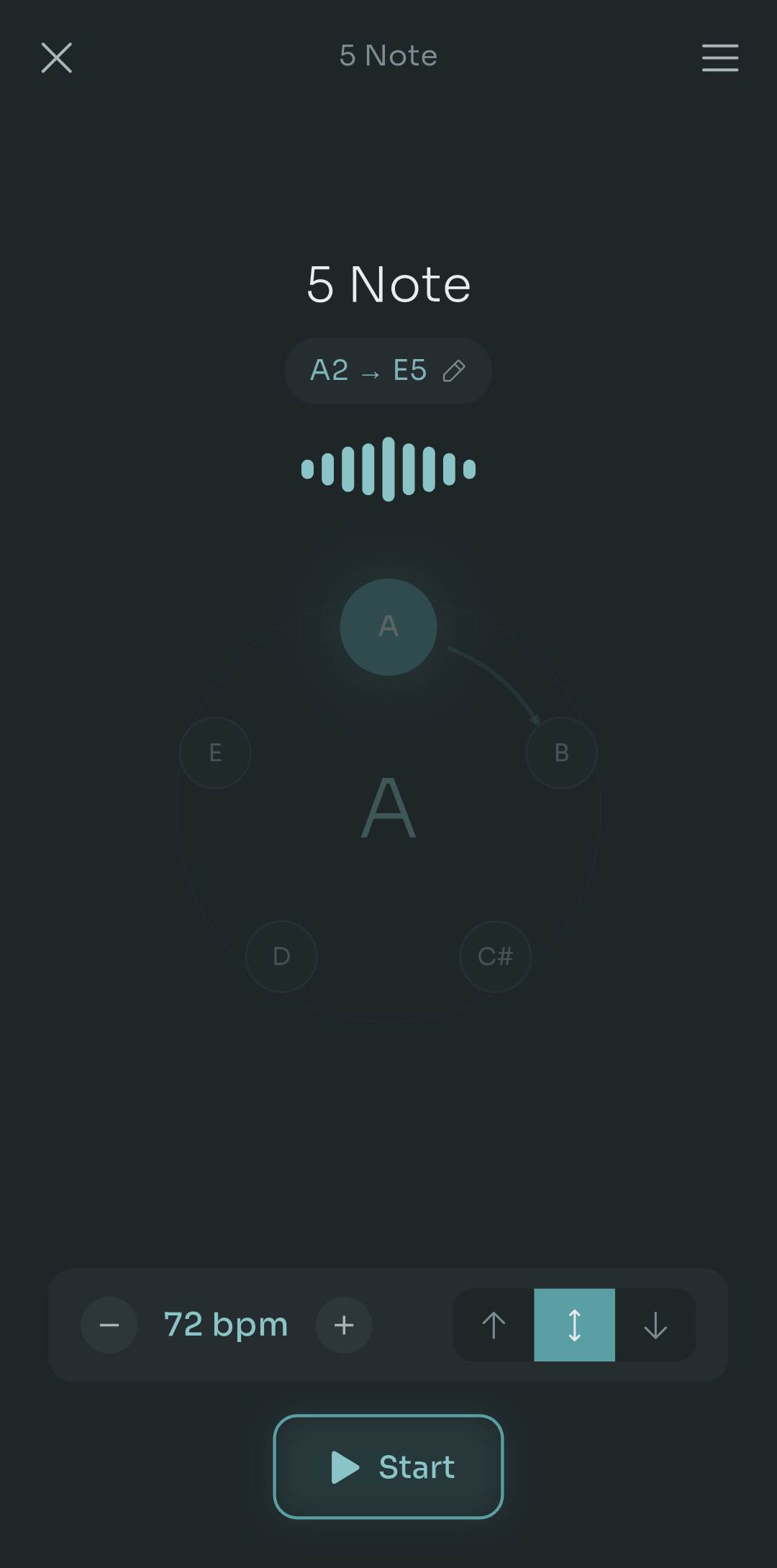
Scalita scale player showing a 5 Note pattern from A2 to E5, a circular note wheel, tempo set to 72 bpm and direction controls
That screen above is the scale player. You can see the pattern (5 Note), the range it will walk through (A2 up to E5), the tempo at 72 bpm, and the direction toggle for ascending, descending or both. The important bit is what you can't see: every one of those notes is a piano sample. Slow it to 40 bpm or push it to 140 and the tone stays the same. Transpose the whole thing into your range and it's still that piano, not a pitched-up imitation of one.
It also shows you exactly what it's about to play. Here's a custom pattern called Zigzag Crescendo:
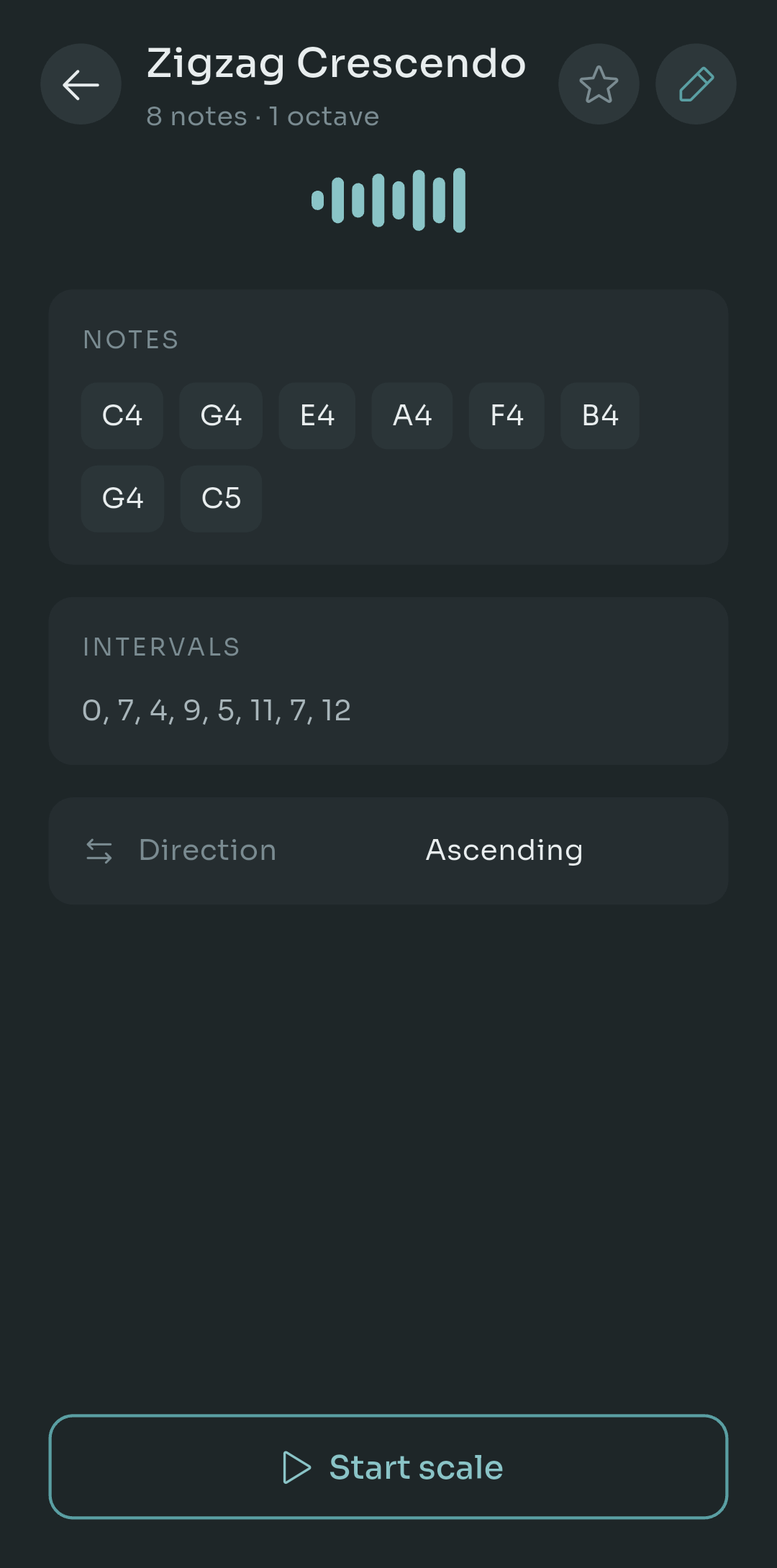
Scale detail screen listing the notes C4 G4 E4 A4 F4 B4 G4 C5, the semitone intervals 0, 7, 4, 9, 5, 11, 7, 12, and an ascending direction setting
Eight notes, the semitone intervals spelled out (0, 7, 4, 9, 5, 11, 7, 12), and a direction setting. What you read is exactly what the piano plays. No guessing, no mystery about whether that leap was a sixth or a seventh.
The practical details: it's Android only for now, free to use, with a Pro tier at $4.99 once (not a subscription), available in five languages.
A Listening Test You Can Do Right Now
You don't have to take my word for any of this. Open whatever warmup app you already own and do this:
- Play the highest note in your range and listen to it alone, no singing.
- Play the lowest note in your range the same way.
- Ask yourself one honest question: would I want to match that?
If either one sounds like a beep, a buzz or a hum rather than a note, you've found your answer. And you've probably found the reason those extremes always felt harder in the app than they do at a real piano.
Quick tip: do the same test on a keyboard or a recording of a real piano right after. The contrast is usually enough to make the point without me saying another word.
The Takeaway
So, does the piano sound matter? Yes, and more than the marketing copy ever suggests. Your ear matches overtones, not just fundamentals. A thin reference gives you less to lock onto, and the gap widens the further you move from the middle of the keyboard. If your warmups have felt strangely hard at the top or bottom of your range, test the reference before you blame your ear.
Try the listening test and tell me what you found. Did your app pass? Which note gave it away? I'd genuinely like to hear how it went.

Pablo Dominguez
Full Stack Developer passionate about building interesting projects and learning new skills.